



Hide Item Frame for Minecraft 26.1
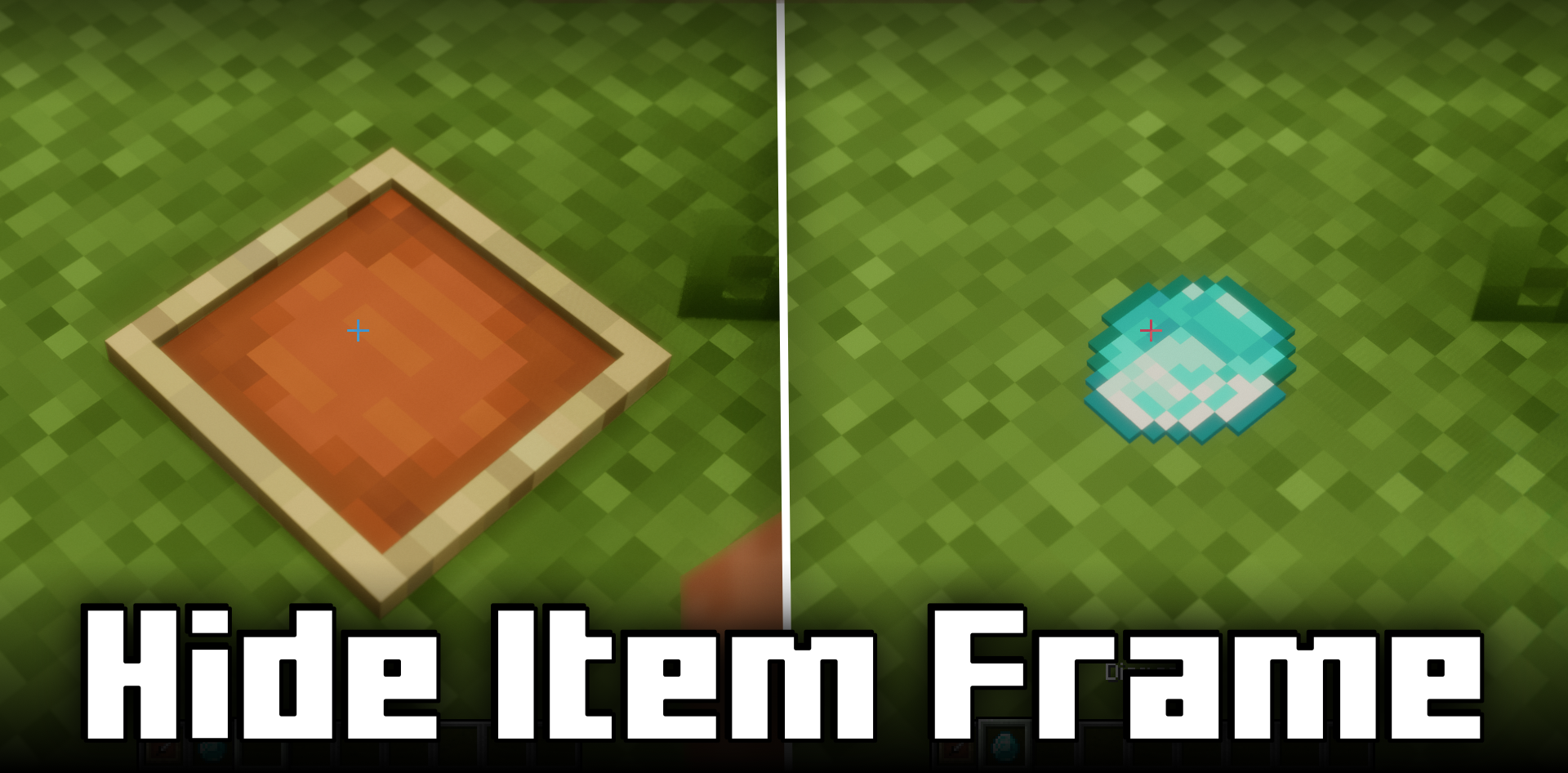
Sometimes even a small detail can spoil the appearance of a build, and that is exactly the problem Hide Item Frame solves. Ordinary item frames are convenient, but their texture does not always match a neat interior, a display case, or a decorative wall. This mod makes the system much more pleasant: when an item is placed in the frame, the frame itself becomes invisible, and if it is empty, it remains visible.

Because of this, you can beautifully display weapons, tools, maps, or collectible items without overloading the design with unnecessary elements. The mod truly shines in museums, storage rooms, decorative rooms, and trading areas, where it is important to emphasize the item itself rather than its mount.
How to install the modification:
First step: download and install Fabric и Fabric API.
Second step: download the mod file.
Third step: copy Hide Item Frame mod package to the .minecraft/mods folder (if it does not exist, install Forge again or create it yourself).
Comments (0)