



Secret Private Shaders for Minecraft 26.1
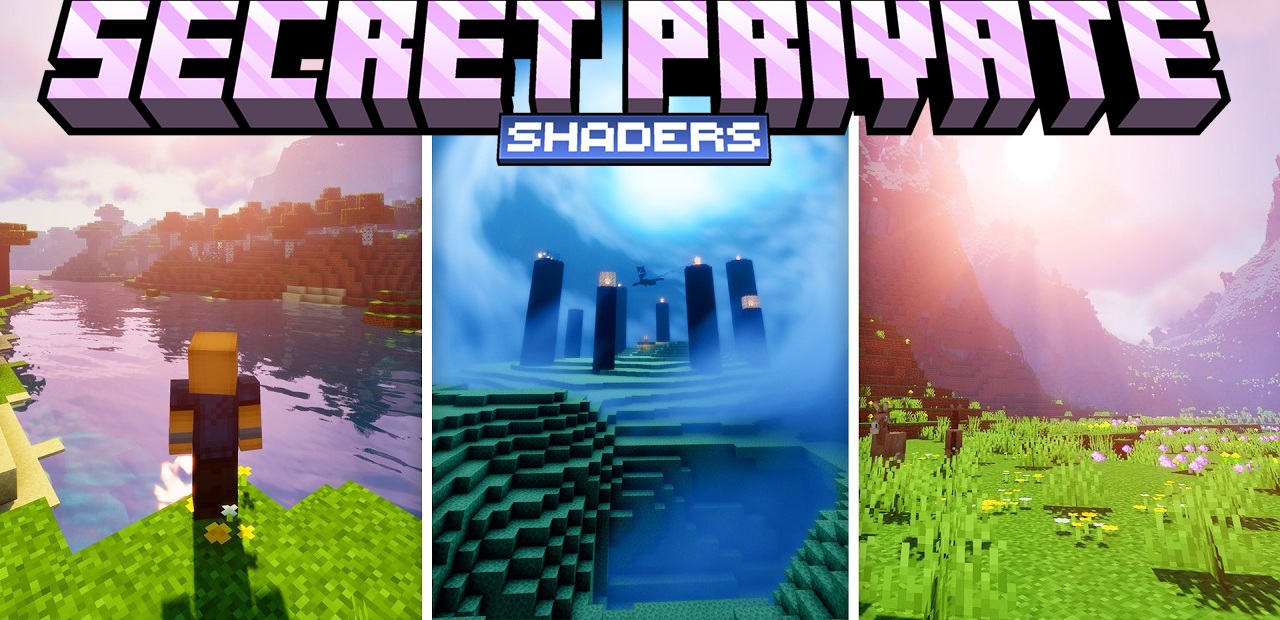
Secret Private Shaders focuses on comfortable cinematic quality. This is not a case where a shader tries to dazzle the player at any cost with saturation, excessive contrast, or aggressive frame processing. On the contrary, the visual improvements here work softly: the lighting remains balanced, the shadows move smoothly depending on the time of day, and the color palette looks pleasant even during long gaming sessions.
Because of this, it is suitable not only for beautiful screenshots, but also for ordinary everyday play. The atmosphere is successfully implemented: volumetric rays of light, natural fog, and an expressive sky at sunrise and sunset.
How to install a shader:
First step: download the shader package from the link below.
Second step: Unpack the downloaded archive and copy the Secret Private Shaders folder to c:\Users\User\AppData\Roaming\.minecraft\shaderpacks\(if this folder does not exist, create it yourself) (For Windows)
Third step: In the game, go to Settings, then to Graphics Settings. Select the "shaders" section and activate the shader pack of your choice.
Comments (0)