



Minecraft 26.4 Snashot 2 Java Edition Download (Overview)
On September 29, 2026, 26.4 Snapshot 2 was released — the second Minecraft Java Edition snapshot for version 26.4. In this update, the developers focused on visual and technical changes: they reworked the fog at the edge of the render distance, updated the debug screen, and fixed a number of reported bugs.
Contents:
1 Changes
2 Bug Fixes
3 Installation
4 Download Links
Changes
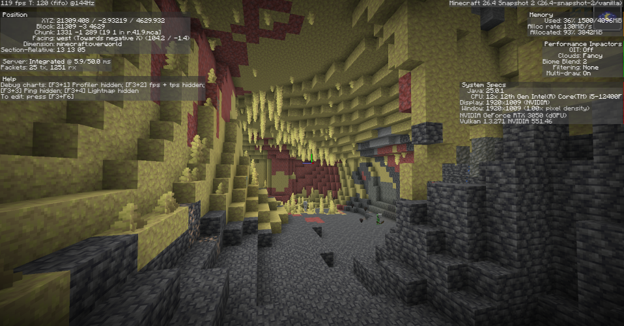
Reworked debug screen. The developers have updated the debug screen, which can be opened by pressing F3. Information is now organized more clearly, making it easier for players to find the technical data they need and understand the displayed values.
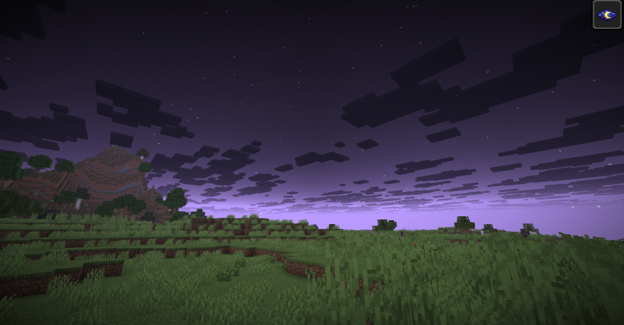
Changes to fog and sky rendering. Fog at the edge of the render distance now gradually obscures distant objects instead of covering them with a solid, opaque color. When the "Enhanced Transparency" setting is enabled, the sky and clouds also blend with the fog, creating a more natural transition between the landscape and the horizon. Additionally, in the Overworld, the lower half of the sky now hides the sun, moon, and stars.
Bug Fixes
In 26.4 Snapshot 2, the developers fixed 53 bugs. Some of the notable fixes include:
- Crashes during world generation — fixed a bug that could cause the game to crash randomly during chunk generation.
- Issues with horses, donkeys, and mules — fixed a bug that prevented players from riding out of water onto land without using additional blocks.
- Excessive mushroom generation in swamps — fixed a bug introduced in the previous snapshot that caused too many mushrooms to generate in swamp biomes.
- Incorrect cloud and fog rendering — clouds should no longer appear behind fog-covered terrain, and the sky should no longer incorrectly obscure underwater fog.
- Experience loss near a sculk catalyst — fixed a bug where breaking an armor stand or a block-attached entity near a sculk catalyst could consume the player's experience.
Installation
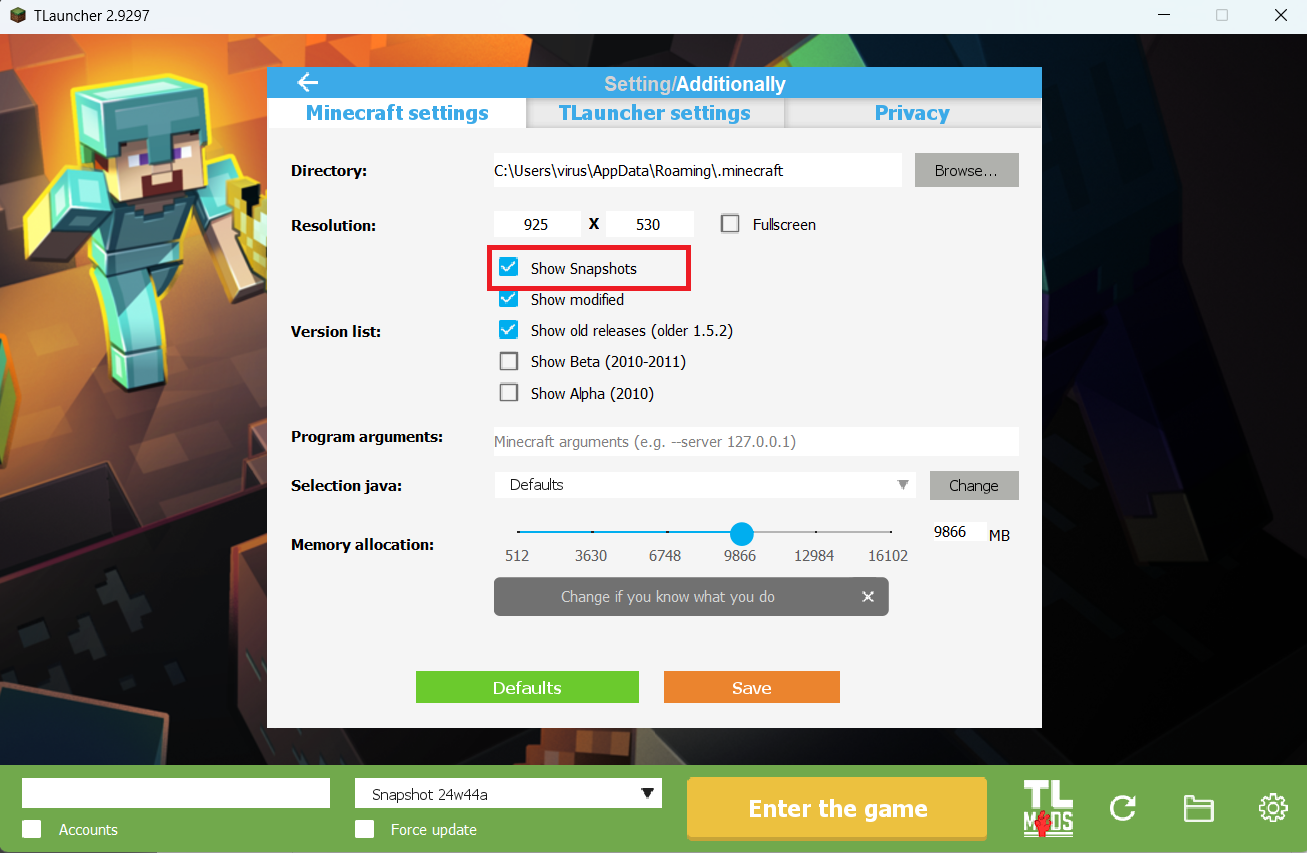
Step 1. Open TLauncher and go to the Settings tab by clicking the gear icon in the lower right corner.
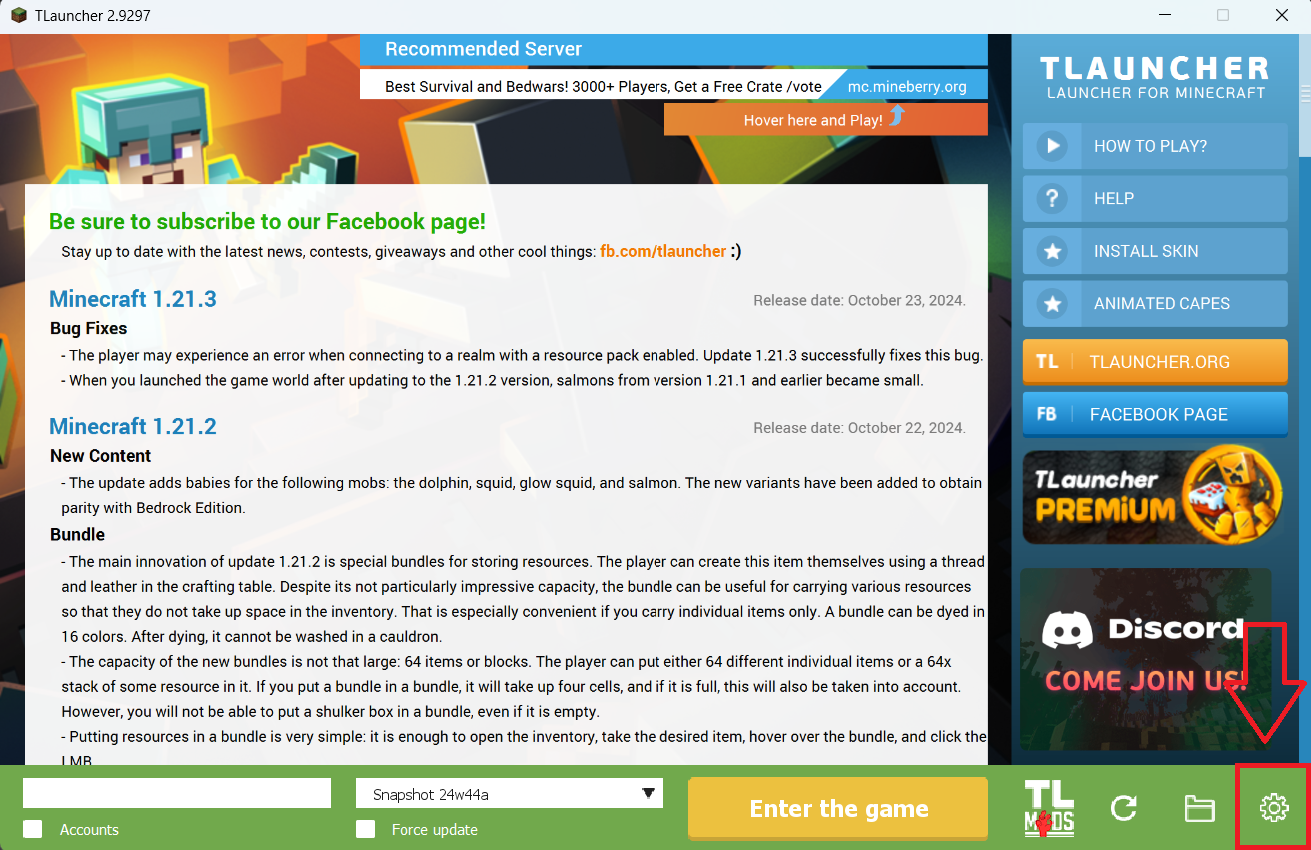
Step 2. Select the Display Snapshots checkbox, and do not forget to save the changes by clicking the appropriate button at the bottom.
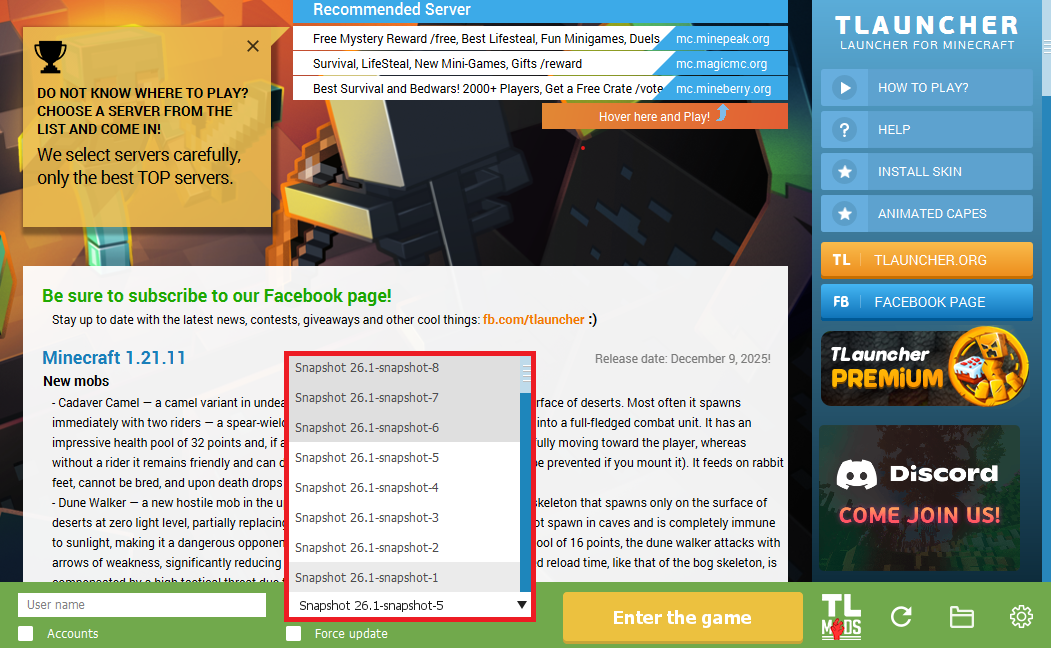
Step 3. On the main screen of TLauncher, open the version selection tab, select the desired snapshot, and click 'Install' or 'Launch the Game' if the snapshot is already installed.
Download Links
26.4 Snapshot 2 is out!
Previous snapshots:
The latest version of the game:
Comments (0)