



Sildur's Vibrant for Minecraft 1.14.4
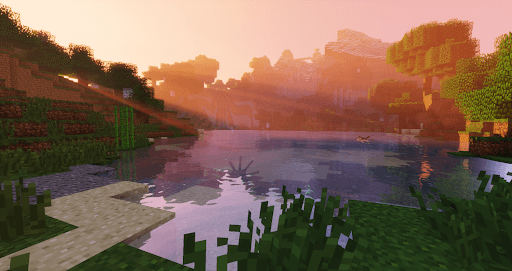
 We’re continuing to actively expand our shader section with shaders guaranteed to help you improve your graphics. All you need to do is take advantage of our new offering: Sildur’s Vibrant Shaders for Minecraft.

These enhancements can make for an enjoyable gaming experience and another playthrough of the game. We’d like to let you know that this new enhancement will change the quality of shadows and lighting and introduce many additional textures, not to mention improved effects. All in all, you’re bound to love it all, and it will make for an enjoyable gaming experience.
How to install the shader:
Step one: Download the shader pack via the link below.
Step two: Unzip the downloaded archive and copy the folder Sildur's Vibrant to c:\Users\Пользователь\AppData\Roaming\.minecraft\resourcepacks\ (if this folder does not exist, create it yourself) (for Windows)
Step three: In the game, go to Settings, then Resource Packs. In the left-hand list, click on the icon for the new shader pack that has appeared.
Comments (4)