



Clickable Sign for Minecraft Pocket Edition 1.19
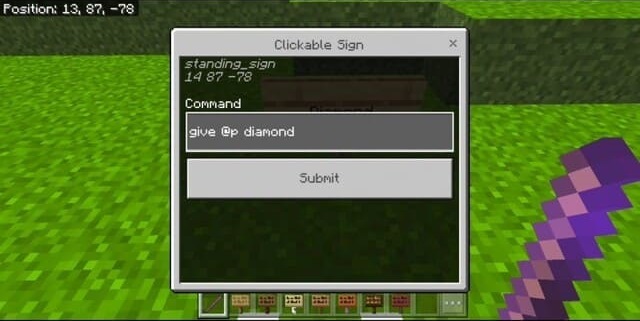
 The Clickable Sign mod for Minecraft 1.19 PE will appeal to those who enjoy various circuits, logic chains and using commands in the game. You can now use signs that trigger different commands when clicked.
For example, you can set actions for players when creating arenas, maps and various in-game events. You can also build mechanical circuits and many other unique creations. This is an extremely useful and convenient mod for the mobile version of Minecraft, allowing you to carry out all actions from your phone.
Installing Clickable Sign:
Step 1: Run the downloaded file to import the add-on/texture into MCPE.
Step 2: Open Minecraft Pocket Edition and go to the world settings.
Step 3: Apply the imported resource packs and add-ons to the world.
Step 4: Select the imported resource packs/add-ons in each section, then restart the mobile client.
Comments (1)