



Remon Furniture for Minecraft Pocket Edition 1.19
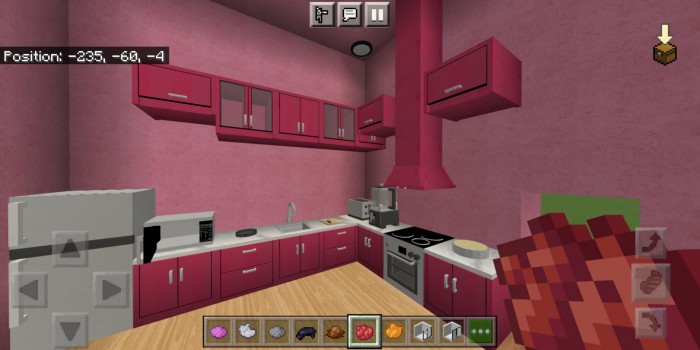
 Transform your interior with the Remon Furniture mod for Minecraft 1.19 PE, which lets you revamp the entire world in just a few clicks and decorate any location or building, whether it’s a modern cottage or a medieval castle.

The add-on offers a huge selection of furniture items, both large and small, with meticulous detail in every model and regular updates from the developers. At present, it features over 220 different models of interior furnishings, some of which even allow players to interact with them: opening and closing laptops, switching on air conditioners, changing channels on the TV and much more.
Installing Remon Furniture:
Step 1: Run the downloaded file to import the add-on/texture into MCPE.
Step 2: Open Minecraft Pocket Edition and go to the world settings.
Step 3: Apply the imported resource packs and add-ons to the world.
Step 4: Select the imported resource packs/add-ons in each section, then restart the mobile client.
Comments (0)