



Timon and Pumbaa for Minecraft Pocket Edition 1.19
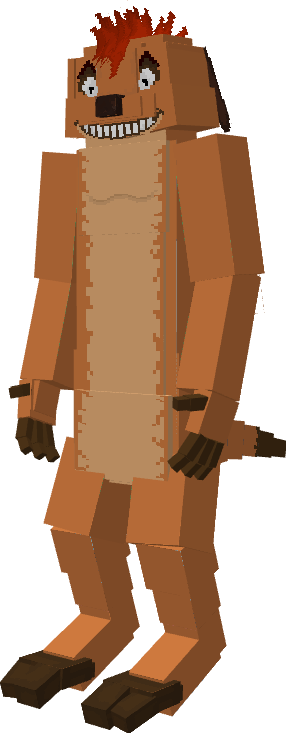
 That’s right! You’ve probably already guessed from the title that the Timon and Pumbaa mod for Minecraft 1.19 PE adds the original characters to the game: Timon and Pumbaa, who, while not perfectly rendered, fully capture the atmosphere of the cartoon and add variety to the gameplay of vanilla Minecraft.
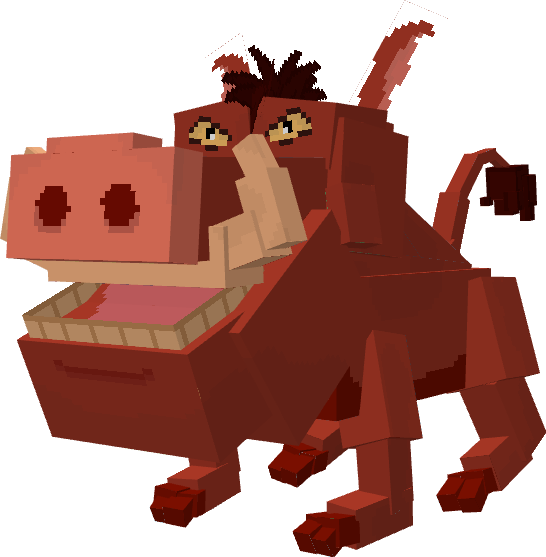
Both have their own unique characteristics, abilities and special attacks, so we recommend finding both characters and comparing them. You’ll have no trouble taming them, as they’re great at attacking hostile characters and protecting you from evil mobs. Cool, isn’t it?
Installing Timon and Pumbaa:
Step 1: Run the downloaded file to import the add-on/texture into MCPE.
Step 2: Open Minecraft Pocket Edition and go to the world settings.
Step 3: Apply the imported resource and add-on packs to the world.
Step 4: Select the imported resource packs/add-on in each section, then restart the mobile client.
Comments (0)