



BSL for Minecraft 1.16.1
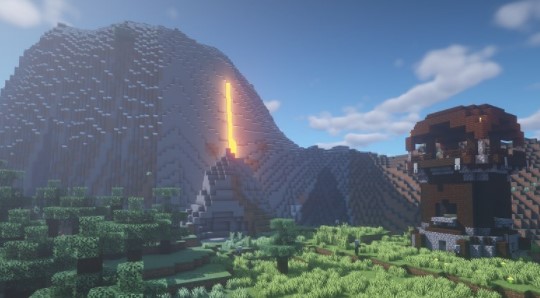
 It’s no secret that Minecraft is full of all sorts of enhancements, particularly those related to dungeons. We’d like to draw your attention to the BSL 1.16.1 add-on for Minecraft, which promises to be far more interesting and exciting thanks to its new visual effects.
For example, this time you’ll simply need to pay attention to the lighting and the many details of your adventure, strive for success and become a far more seasoned traveller. After all, many dungeons will now become darker, more dangerous and downright unpredictable, not to mention the numerous other consequences.
How to install the shader:
Step 1: Download the shader pack from the link below.
Step 2: Extract the downloaded archive and copy the BSL folder to c:\Users\Пользователь\AppData\Roaming\.minecraft\resourcepacks\ (if this folder does not exist, create it yourself) (For Windows)
Step 3: In the game, go to Settings, then Resource Packs. There, click on the icon for the new shader pack in the left-hand list.
Comments (1)