



Better Netherite Armor for Minecraft Pocket Edition 1.16
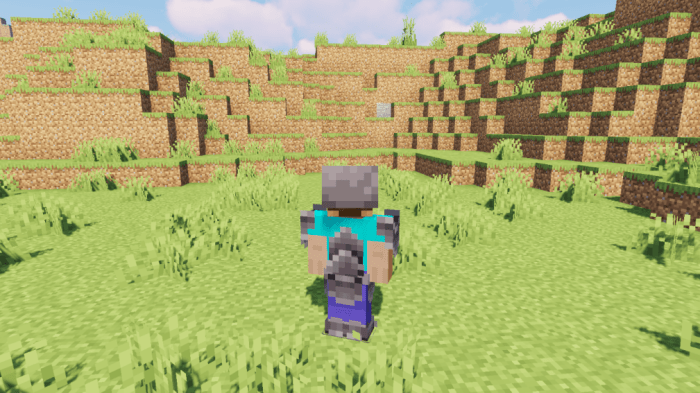
 If you enjoy trying out brand-new armour in the vast world of Minecraft, then you should take a look at the Better Netherite Armor add-on for Minecraft.
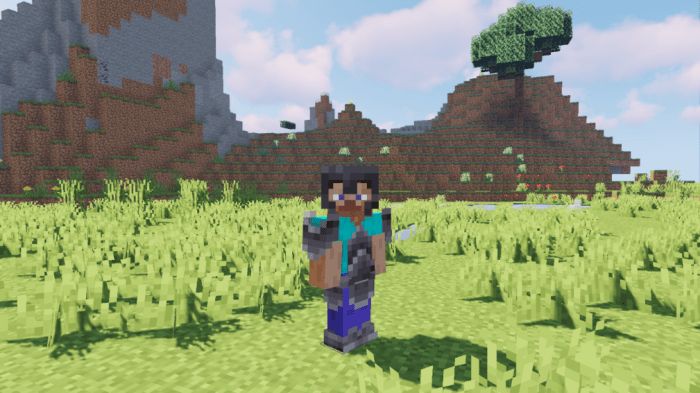
Thanks to these new changes, you’ll not only be able to have a great time but also appreciate the updated armour. These changes mean that netherite armour will look significantly better and certainly won’t disappoint in terms of its appearance. We suggest you don’t waste any time and just get started. Only by actively making the most of all your opportunities will you have the chance to realise your potential.
How to install the texture pack:
Step 1: Download the texture pack using the link below.
Step 2: Extract the downloaded archive and copy the ‘Better Netherite Armor’ folder to games\com.mojang\resource_packs (if this folder does not exist, create it yourself)
Step 3: In the game, go to Settings and click the ‘Manage’ button next to ‘Texture Packs’. The copied texture pack will appear in the list on the left; click on it so that it becomes the first item in the list on the right.
Comments (0)