



Colored Enchanted Glint for Minecraft Pocket Edition 1.16
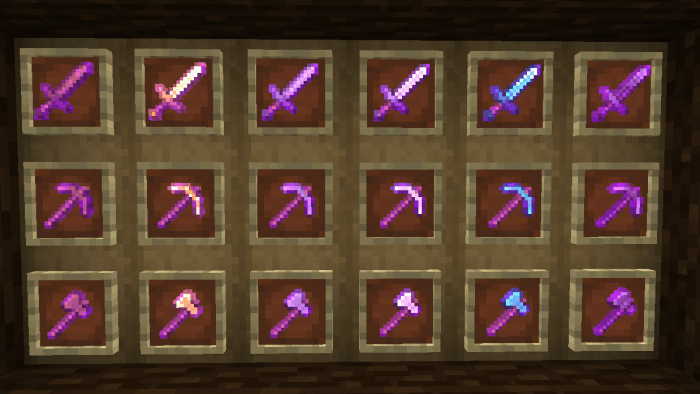
 Colored Enchanted Glint for Minecraft – a special add-on that adds enchanted weapon textures to the game world. This time, you’ll need to make use of all available resources and check out the new varieties of enchanted weapons.
This time, the author has made as many fixes as possible and has tried to refine the changes to perfection. For example, in addition to attractive textures, enchanted weapons will also feature completely new icons in the interface. So all that remains is for us to wish you good luck and all the very best!
How to install the texture pack:
Step one: Download the texture pack using the link below.
Step two: Unzip the downloaded archive and copy the Colored Enchanted Glint folder to games\com.mojang\resource_packs (if this folder does not exist, create it yourself)
Step three: In the game, go to Settings and click the Manage button next to Texture Packs. The copied texture pack will appear in the list on the left; click on it so that it moves to the top of the list on the right.
Comments (0)