



Seasons for Minecraft Pocket Edition 1.2
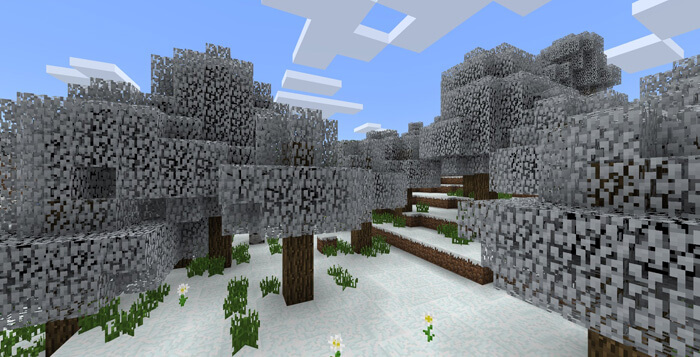
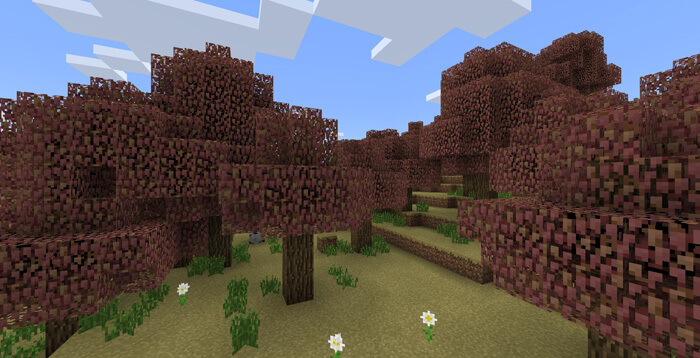
 A mod that changes the seasons will help add variety to the visuals of the mining sandbox game. At regular intervals, the leaves on the trees will change colour to match the season.
They will turn orange-red in autumn and white in winter. This won’t affect the game’s style, but it will add a touch more realism. Playing Minecraft 1.2 will become more interesting, as the appearance of the natural environment will change periodically.
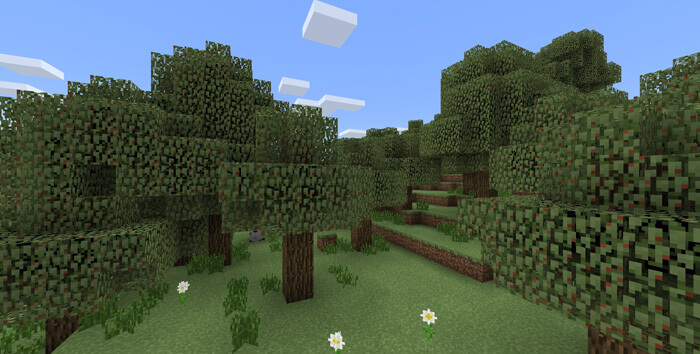 Admire the landscapes of different seasons in this portable mining game. The lovely scenery will help you enjoy the gameplay even more, as familiar locations will now be constantly changing.
How to install the mod (Android):
Step 1: Download and install a launcher that supports mods.
Step 2: Download the mod package (extract it if the file is in an archive).
Step 3: Copy the Seasons mod package to the root of your phone’s file storage.
Step 4: Activate the mod in the launcher.
Comments (19)