



Neythox 3D Tools All Colors for Minecraft 26.3
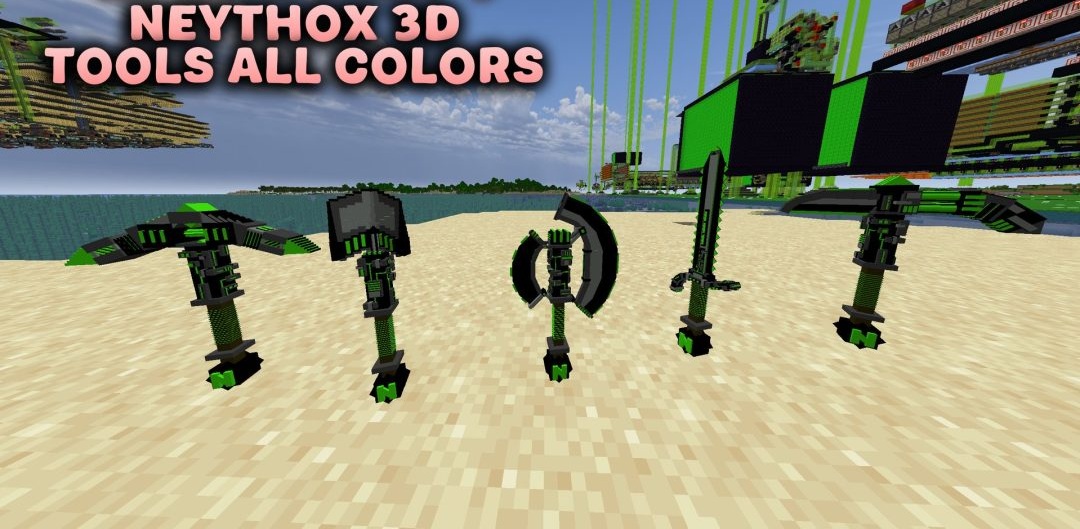
A netherite sword with a bright pink or light blue finish looks far more interesting than a standard dark weapon. In Neythox 3D Tools All Colors, you can choose from eight colour schemes: green, blue, light blue, red, yellow, pink, purple or orange. The changes apply to all five netherite tools — the sword, pickaxe, axe, shovel and hoe.
Instead of flat images, full 3D models are used, clearly showing their thickness and additional decorative elements. The shape of the items is identical across all variants; only the colour accents change. Each colour scheme is distributed separately, as it replaces the same set of tools.
How to install the texture pack:
Step 1: Download the texture pack using the link below.
Step 2: Extract the downloaded archive and copy the folder Neythox 3D Tools All Colors to the following path: c:\Users\Пользователь\AppData\Roaming\.minecraft\resourcepacks\ (if this folder does not exist, create it yourself) (For Windows)
Step 3: In the game, go to Settings, then Resource Packs. In the left-hand list, click on the icon for the newly added texture pack.
Comments (0)