



Goldrobin’s Mansion – a house in the woods | Minecraft map

If you’ve been itching to visit some interesting – or perhaps somewhat unusual – in-game locations, then go ahead and download the ‘Mansion – A House in the Woods’ map for version 1.14.4, as here you’ll find exactly what you’ve been searching for for so long.
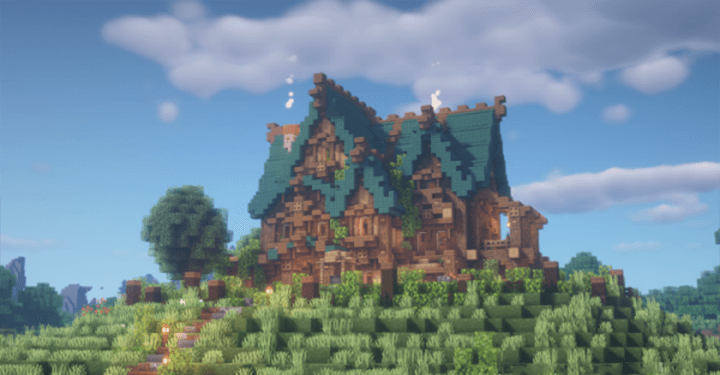
All the action takes place in a house nestled in natural surroundings of indescribable beauty. The house is a two-storey medieval-style building, perfectly situated in a green meadow surrounded by a dense, picturesque forest in all its splendour. The whole setting is like a real fairy tale, the sort of place everyone would love to visit.
How to install the map:
Step 1: Download the map archive.
Step 2: Extract the archive to create a folder.
Step 3: Copy the folder containing the ‘Goldrobin’s Mansion – a house in the woods’ map to the .minecraft/saves directory (if this folder does not exist, create it yourself).
Step 4: In the menu, under the ‘Single Player’ tab, find this map.
Comments (0)