



VaultCraft for Minecraft Pocket Edition 0.15
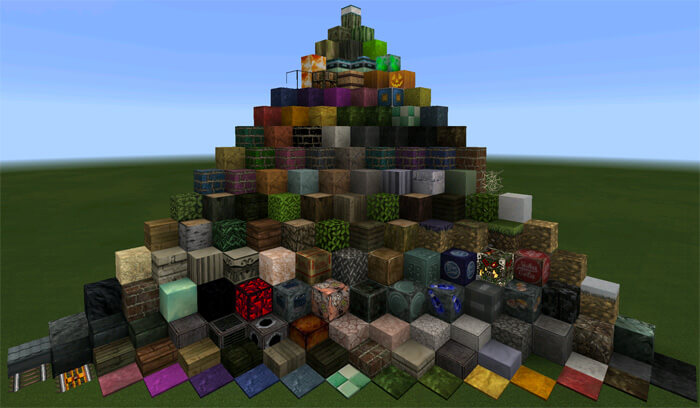
 VaultCraft is a 32x32 texture pack ported to Minecraft PE from the PC version. The texture pack's style is very similar to what players see in the legendary Fallout.
In fact, the first part of the name Vaultcraft means «shelter», one of the cornerstones of this series — the artificial blocks show the effects of the passing years through extensive deterioration and rust.
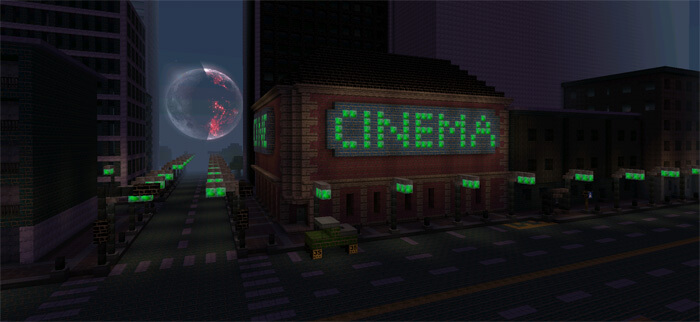
The VaultCraft texture pack is ideal both for city maps, giving them a distinctive, post-apocalyptic atmosphere, and for standard survival gameplay, bringing new sensations and emotions to the usual Minecraft PE experience.
How to install the texture pack:
Step 1: Download the texture pack using the link below.
Step 2: Extract the downloaded archive and copy the VaultCraft folder to games\com.mojang\resource_packs (if this folder does not exist, create it yourself)
Step 3: In the game, go to Settings and click the ‘Manage’ button next to ‘Texture Packs’. The copied texture pack will appear in the list on the left; click on it so that it moves to the top of the list on the right.
Comments (22)