



Shulker Box GUIs for Minecraft 1.15.2
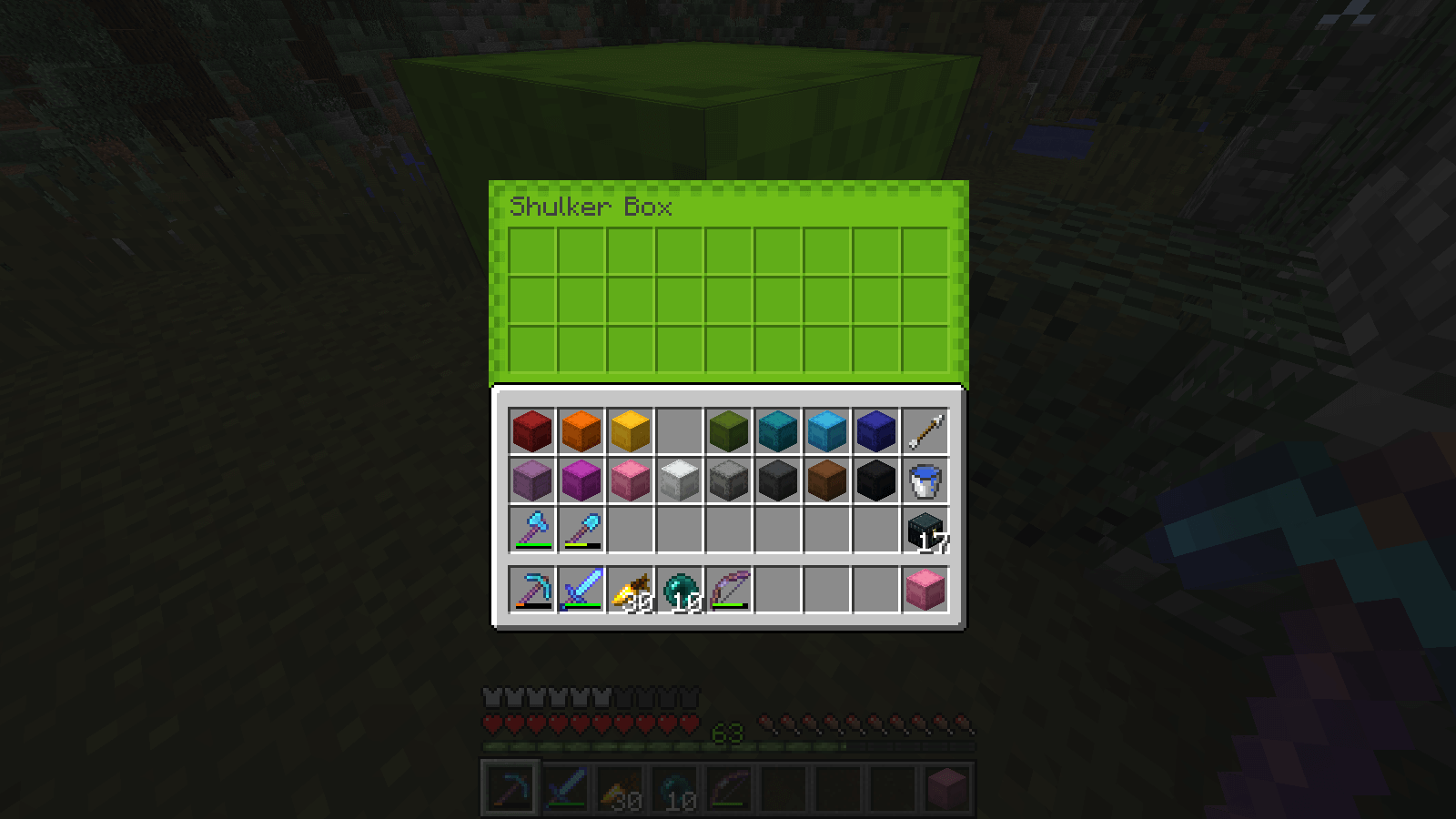
 If you enjoy customising various aspects of your adventure, we’d like to draw your attention to the Shulker Box GUIs texture pack for Minecraft, which is now available and will offer a new experience. It’s worth noting straight away that the game will now offer a more varied visual experience, as the creator has added the option to adjust the interface colour in the settings.
It can be green, blue or even purple – it all depends on your preferences and interests. So we suggest you don’t waste any time and simply start exploring these new possibilities. We wish you the best of luck!
How to install the texture pack:
Step one: Download the texture pack using the link below.
Step two: Unzip the downloaded archive and copy the Shulker Box GUIs folder to c:\Users\Пользователь\AppData\Roaming\.minecraft\resourcepacks\ (if this folder does not exist, create it yourself)(For Windows)
Step three: In the game, go to Settings, then Resource Packs. There, click on the icon for the new texture pack in the left-hand list.
Comments (0)