



Vanilla Gui for Minecraft 26.3
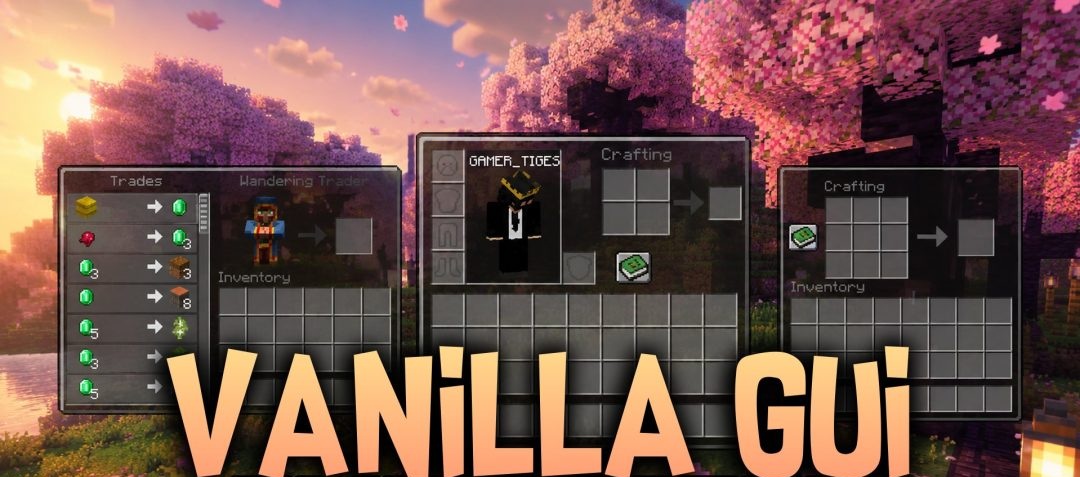
Sometimes you want to open your inventory and still be able to see what is happening around your character. Vanilla Gui does exactly that, replacing the opaque backgrounds of game windows with more transparent ones. The difference is especially noticeable when opening chests or moving items: your surroundings are now easier to see through the interface.
At the same time, the author has not completely changed the menu design. The familiar grey frames, slot layout and main controls remain in place. A total of 142 textures have been reworked, including those for the survival inventory, creative mode, crafting table, ender chests, regular and double chests, and shulker boxes.
How to install the texture pack:
Step one: Download the texture pack using the link below.
Step two: Unpack the downloaded archive and copy the Vanilla Gui folder to c:\Users\Пользователь\AppData\Roaming\.minecraft\resourcepacks\ (if this folder does not exist, create it yourself) (For Windows)
Step three: In the game, go to Settings, then to Resource Packs. In the list on the left, click the icon for the newly added texture pack.
Comments (0)