



ChatFlow for Minecraft 1.11.2
 Many aspects of the Minecraft game world are pleasing to the eye, but there are also many elements you may sometimes want to change to suit your tastes.
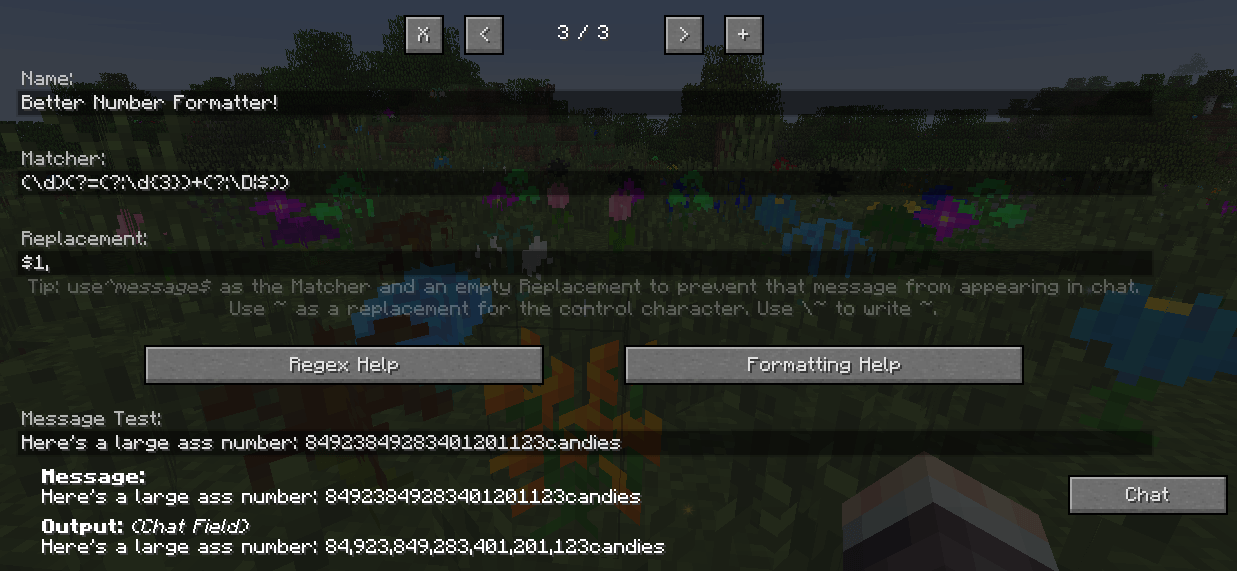
For example, the ChatFlow mod for Minecraft 1.11.2 allows you to change the appearance of in-game text.
 In other words, all messages, whether system messages or in-game chat messages, can now be changed. All you need to do is familiarize yourself with the functionality, which is straightforward and lets you enjoy the new possibilities.
 Now the game world will look much better and more visually appealing. Good luck!

How to install the modification:
First step: download and install Minecraft Forge (you can select a version that includes it in the launcher).
Second step: download the modification package.
Third step: copy the ChatFlow mod package into the .minecraft/mods directory (if this folder does not exist, reinstall Forge or create it yourself).
Comments (0)