



Lucky Foods for Minecraft Pocket Edition 1.21

To diversify your adventures, it is enough to use Lucky Foods add-on for Minecraft. Thanks to the new changes, you can easily find special lucky blocks during your adventures. However, they will be focused exclusively on food.
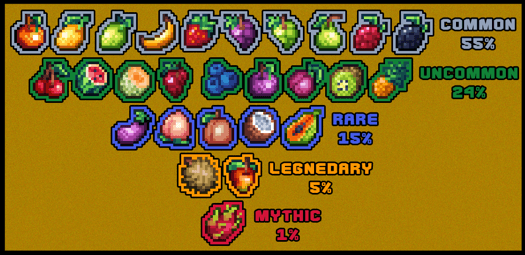
Now, upon finding this block, you will receive random food that will surely come in handy during your adventures. The main thing is to simply be attentive and try not to miss these blocks, as they will be useful at the very least.

Installing Lucky Foods:
The first step is to run the downloaded file and import the addon/texture into MCPE.
Second step: open Minecraft Pocket Edition and go to the settings of the world.
Third step: install the imported resource sets and add-ons for the world.
Step four: select the imported resource packages/add-on in each section and restart the mobile client.
Comments (0)