



Kadirxo Shaders for Minecraft 1.21.10

How can you make Minecraft feel alive without killing FPS? The answer is hidden within Kadirxo Shaders. This pack creates a bright, saturated, yet surprisingly system-friendly image. Realistic water shimmers under gusts of wind, vegetation glows slightly and reacts to sunlight, and shadows move softly, as if lifted by the breeze.
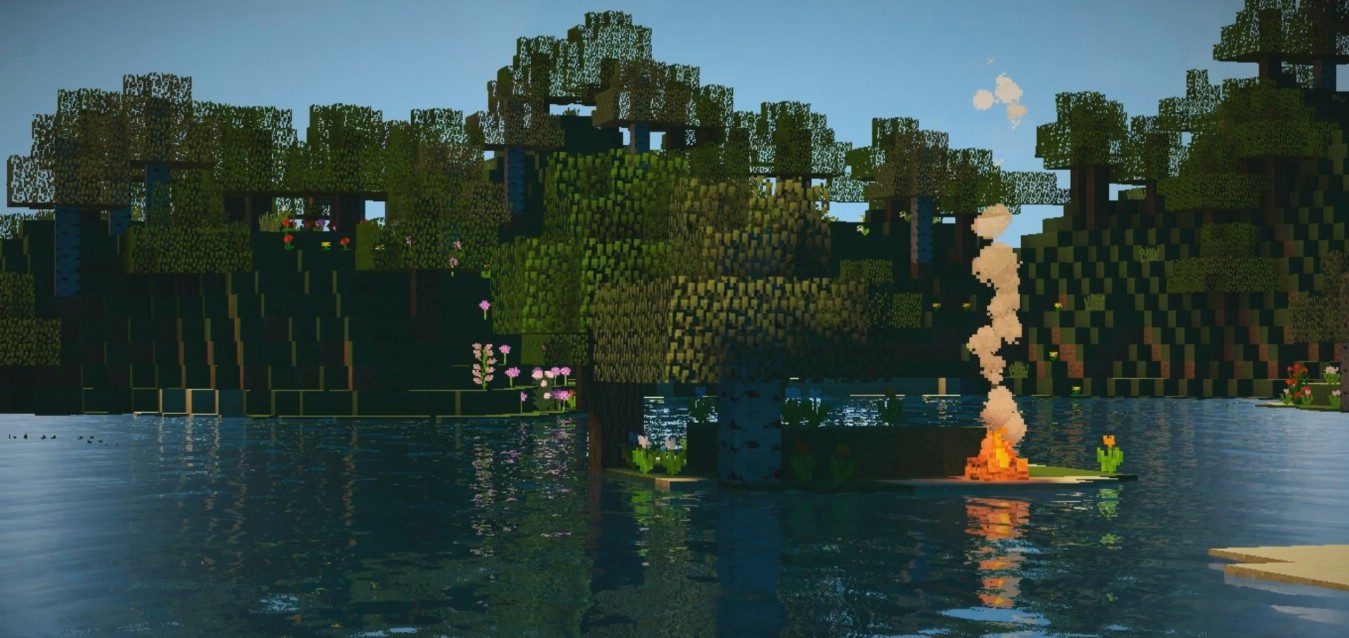
Sun rays look expressive and rich without straining the eyes, while nighttime lighting creates neat contrasts. What stands out most is the stability of performance—the shader noticeably smooths out the load and provides fluid gameplay even on weaker computers. As a result, the world is filled with naturalness without the risk of turning the game into a slideshow.

How to install a shader:
First step: download the shader package from the link below.
Second step: Unpack the downloaded archive and copy the Kadirxo Shaders folder to c:\Users\User\AppData\Roaming\.minecraft\shaderpacks\(if this folder does not exist, create it yourself) (For Windows)
Third step: In the game, go to Settings, then to Graphics Settings. Select the "shaders" section and activate the shader pack of your choice.
Comments (6)