



Secret Private Shaders for Minecraft 1.21.11
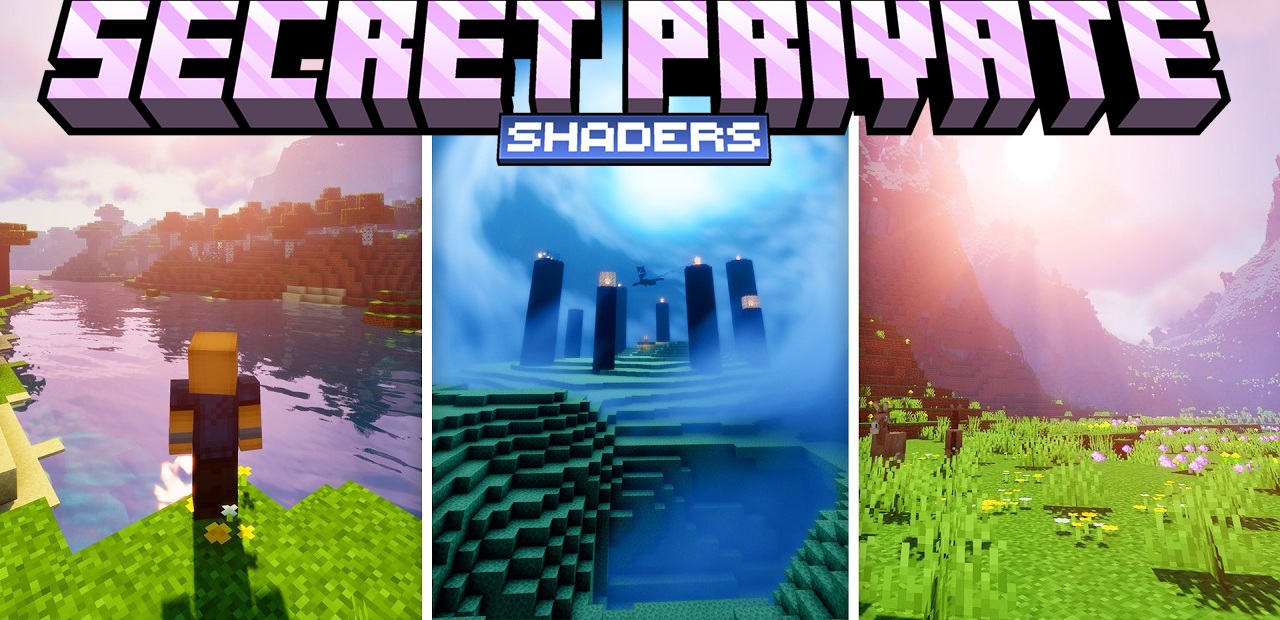
Secret Private Shaders carefully enhances the lighting, adding depth to the scene without excessive brightness or effect overload. The light here is soft and natural, shadows smoothly move depending on the time of day, and the color palette is selected so that the eyes do not get tired even during long play sessions. The influence of the atmosphere is especially noticeable: sun rays, volumetric fog, and a lively sky make the landscapes more cinematic.
Water looks clean and realistic, with reflections and gentle waves. If desired, advanced lighting settings can be enabled, including more complex global illumination methods.
How to install a shader:
First step: download the shader package from the link below.
Second step: Unpack the downloaded archive and copy the Secret Private Shaders folder to c:\Users\User\AppData\Roaming\.minecraft\shaderpacks\(if this folder does not exist, create it yourself) (For Windows)
Third step: In the game, go to Settings, then to Graphics Settings. Select the "shaders" section and activate the shader pack of your choice.
Comments (4)