



Super Shaders for Minecraft 1.21.10

When installing Super Shaders, Minecraft seems to gain an additional layer of richness and expressiveness. Colors become warmer and deeper, lighting more contrasty, and the environment comes alive thanks to soft highlights and an expanded light spectrum.
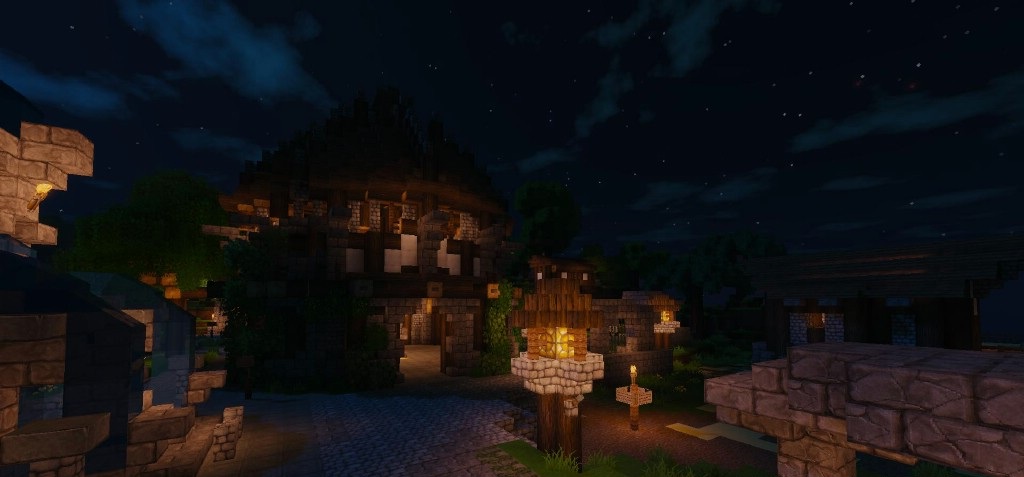
Torches burn brighter, creating dynamic lighting in dark spaces, while sunlight forms pleasant reflections on block surfaces. Rain and fog appear denser and more atmospheric, giving biomes a special sense of motion. Despite the abundance of effects, the image remains recognizable and does not drift into excessive cinematic styling.

How to install a shader:
First step: download the shader package from the link below.
Second step: Unpack the downloaded archive and copy the Super Shaders folder to c:\Users\User\AppData\Roaming\.minecraft\shaderpacks\(if this folder does not exist, create it yourself) (For Windows)
Third step: In the game, go to Settings, then to Graphics Settings. Select the "shaders" section and activate the shader pack of your choice.
Comments (1)