



Wisdom Shaders for Minecraft 1.21.11

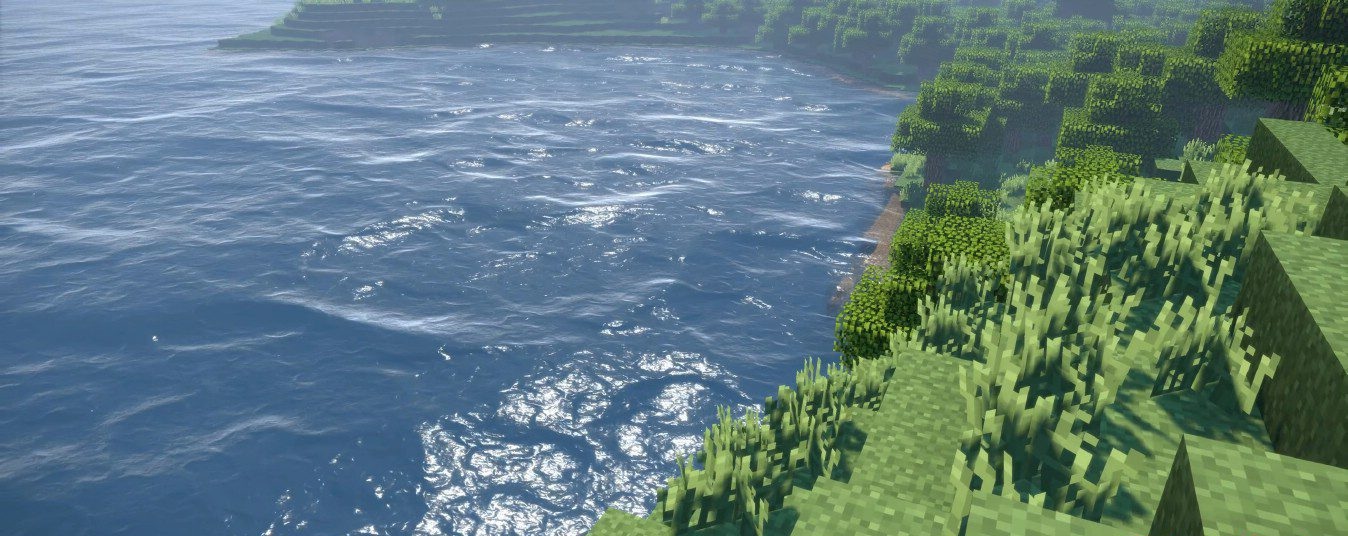
Wisdom Shaders aims to combine high visual quality with excellent performance. The basis of its visual style is physically accurate lighting, which makes materials feel truly different: metal, glass, ice, and stone all reflect light in their own way. The work with reflections and water is especially impressive: oceans look voluminous, waves are dynamic, and environmental reflections add depth to scenes.

The picture is completed by an advanced shading system that creates soft and accurate shadows without unnecessary load. The shader pack is easy to customize, allowing effects to be turned on or off for a specific system.
How to install a shader:
First step: download the shader package from the link below.
Second step: Unpack the downloaded archive and copy the Wisdom Shaders folder to c:\Users\User\AppData\Roaming\.minecraft\shaderpacks\(if this folder does not exist, create it yourself) (For Windows)
Third step: In the game, go to Settings, then to Graphics Settings. Select the "shaders" section and activate the shader pack of your choice.
Comments (1)