



FunCraft for Minecraft Pocket Edition 0.13
 If you dream of giving your favourite and most exciting game a new look, we suggest you take a look at the FunCraft texture pack, created by the game’s most loyal fans.
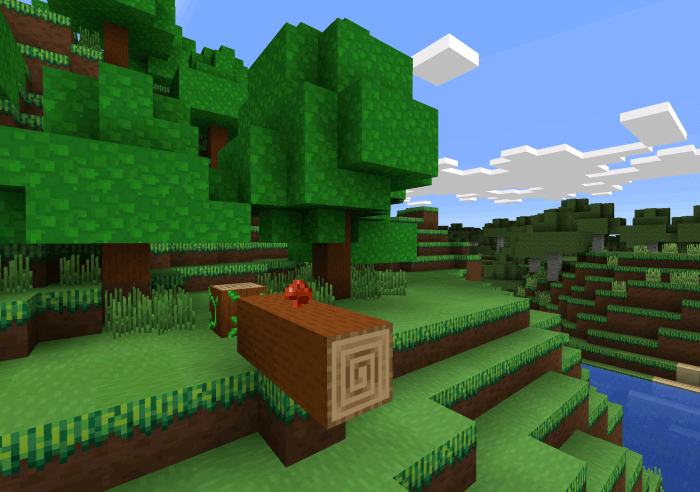
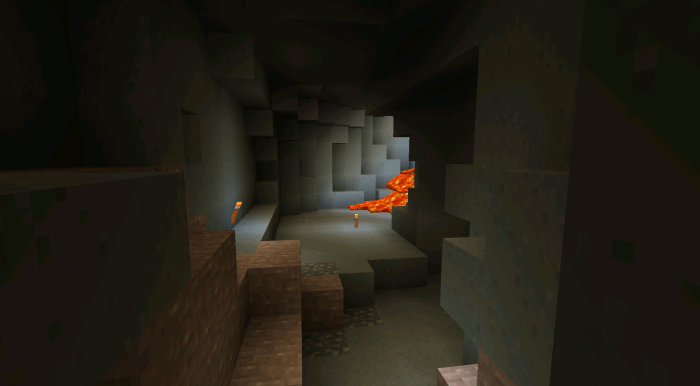
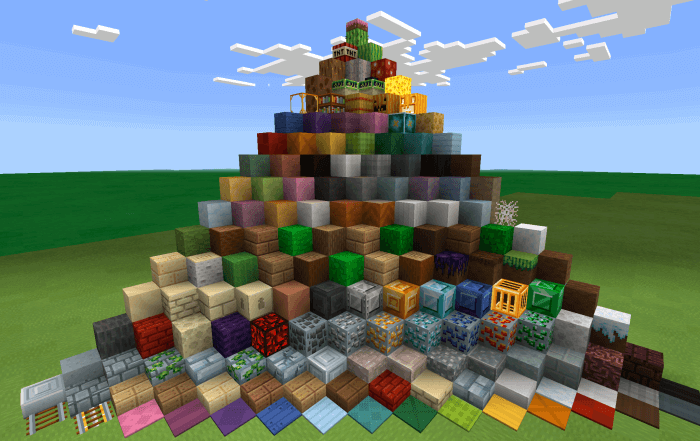
This texture pack changes the appearance of all existing blocks, improving their quality and giving them a completely new colour balance. The blocks are now brighter, more pleasing to the eye and simply look much better than the standard ones – a welcome improvement. Use this texture pack, have fun and take a fresh look at the familiar world. We hope you enjoy using it and that it puts you in a good mood!
How to install the texture pack:
Step 1: Download the texture pack using the link below.
Step 2: Extract the downloaded archive and copy the FunCraft folder to games\com.mojang\resource_packs (if this folder does not exist, create it yourself)
Step 3: In the game, go to Settings and click the ‘Manage’ button next to ‘Texture Packs’. The copied texture pack will appear in the list on the left; click on it so that it moves to the top of the list on the right.
Comments (4)