



Christmas HD for Minecraft Pocket Edition 0.14
 Christmas HD — a Christmas-themed texture pack for Minecraft Pocket Edition that transforms the in-game world around you into New Year decorations.
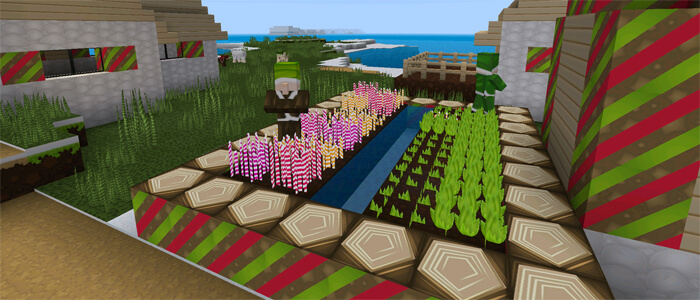
Chests, furnaces and workbenches become gift boxes, tree trunks turn into sweets, and beautiful green blankets with a Christmas tree pattern appear on the beds. Pigs don hats and turn into the reindeer that pull Santa Claus’s sleigh…
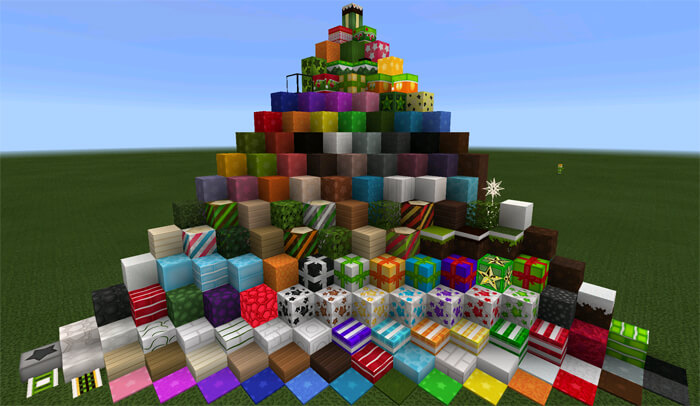
The other blocks in the texture pack are designed in a similar style and naturally complement the mod’s New Year theme. All the textures are neat and uncluttered, with straight lines and symmetrical patterns reminiscent of Christmas.
How to install the texture pack:
Step 1: Download the texture pack using the link below.
Step 2: Extract the downloaded archive and copy the Christmas HD folder to games\com.mojang\resource_packs (if this folder does not exist, create it yourself)
Step 3: In the game, go to Settings and click the ‘Manage’ button next to ‘Texture Packs’. The copied texture pack will appear in the list on the left; click on it so that it moves to the top of the list on the right.
Comments (22)