



Dragon Dance for Minecraft Pocket Edition 0.15
 There are countless ways to improve the visuals in a virtual game like Minecraft; the key is to use them all correctly.
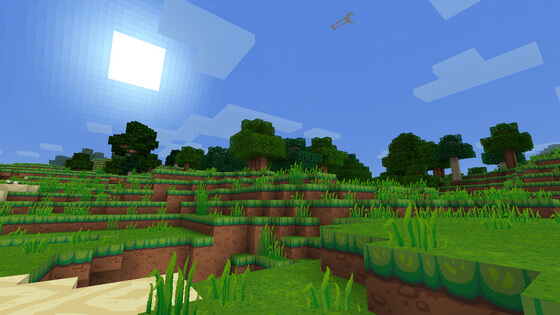
Today we’re offering you a set of textures called Dragon Dance, which don’t fundamentally change the game but add a wealth of interesting texture options, allowing you to appreciate their quality and enjoy the fact that some modders excel at their craft. You’ll find high-quality work created by a single person who really knows their stuff. To see for yourself, simply download and install this texture pack. We hope you enjoy it!
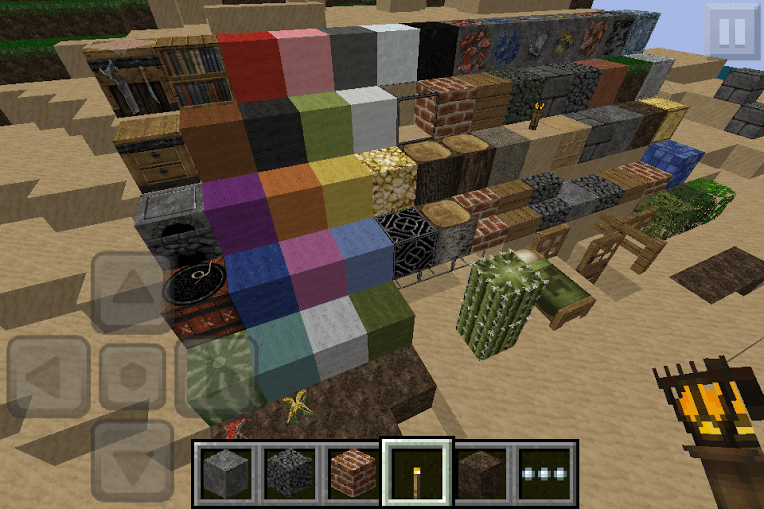
How to install the texture pack:
Step 1: Download the texture pack using the link below.
Step 2: Extract the downloaded archive and copy the Dragon Dance folder to games\com.mojang\resource_packs (if this folder does not exist, create it yourself)
Step 3: In the game, go to Settings; next to ‘Texture Packs’ you’ll see a ‘Manage’ button—click on it. The copied texture pack will appear in the list on the left; click on it so that it moves to the top of the list on the right.
Comments (0)