



Better Grass for Minecraft Pocket Edition 1.0
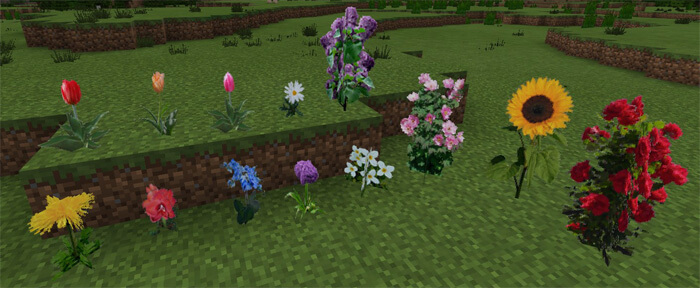
 This texture pack transforms the appearance of leaves, grass, and other types of plants in Minecraft Pocket Edition to make them look much more realistic.
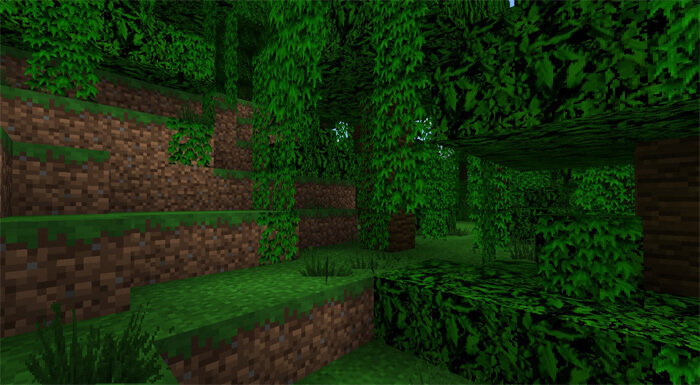 This may seem like a minor change, but the overall look of Minecraft 1.0 is much improved. It’s the perfect choice if you want to make your world more realistic but don’t want to download high-resolution textures that take up a lot of space on your device.
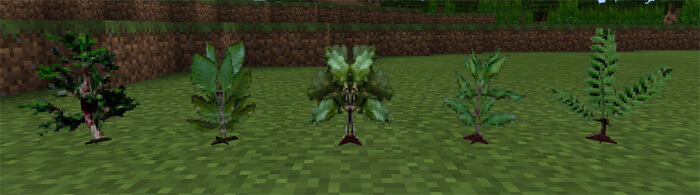
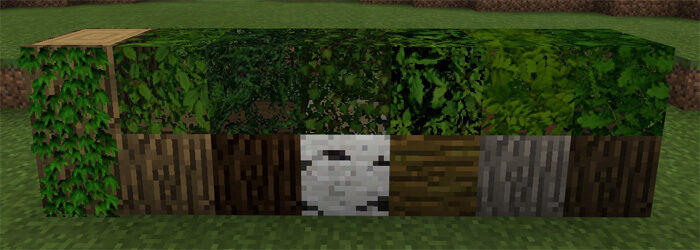 Many plants and related items have been revamped. Try out the new designs for saplings, tree leaves and other elements for a more realistic mobile Minecraft experience.
How to install the texture pack:
Step 1: Download the texture pack using the link below.
Step 2: Extract the downloaded archive and copy the Better Grass folder to games\com.mojang\resource_packs (if this folder does not exist, create it yourself)
Step 3: In the game, go to Settings. Next to ‘Texture Packs’, there will be a ‘Manage’ button; click on it. The copied texture pack will appear in the list on the left; click on it so that it becomes the first item in the list on the right.
Comments (0)