



MinunCraft for Minecraft 1.16.5
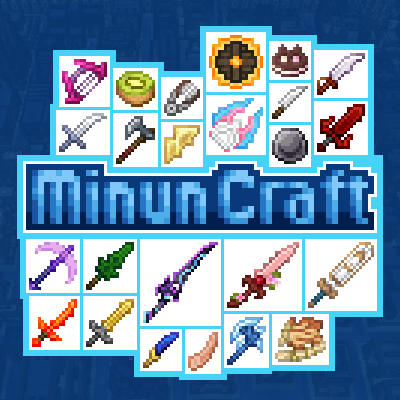 MinunCraft for Minecraft is a special add-on that lets you embark on a new adventure and enjoy brand-new items ready for immediate use. For example, thanks to the new enhancements, you can look forward to new food items, equipment, weapons and much more.
The main thing is to find the time for all this and start using it effectively. We’d like to encourage you not to waste any time and simply set off on this unforgettable journey, which you’re sure to enjoy. All that remains is to familiarise yourself with these new features and start making full use of all the available options. We wish you the best of luck!
How to install a texture pack:
Step 1: Download the texture pack using the link below.
Step 2: Extract the downloaded archive and copy the MinunCraft folder to c:\Users\Пользователь\AppData\Roaming\.minecraft\resourcepacks\ (if this folder does not exist, create it yourself) (for Windows)
Step 3: In the game, go to Settings, then Resource Packs. There, click on the icon for the newly added texture pack in the left-hand list.
Comments (4)