



Mandala’s GUI – Dark Mode for Minecraft 1.21.11
Sometimes it is enough to change the interface for the game to feel different. Mandala’s GUI – Dark Mode does exactly that. Instead of the usual light menu design, the player gets a neat dark interface that looks modern and is much more comfortable for the eyes. This is especially noticeable during long gaming sessions: dark panels cause less eye strain, while interface elements remain clear and easy to read.
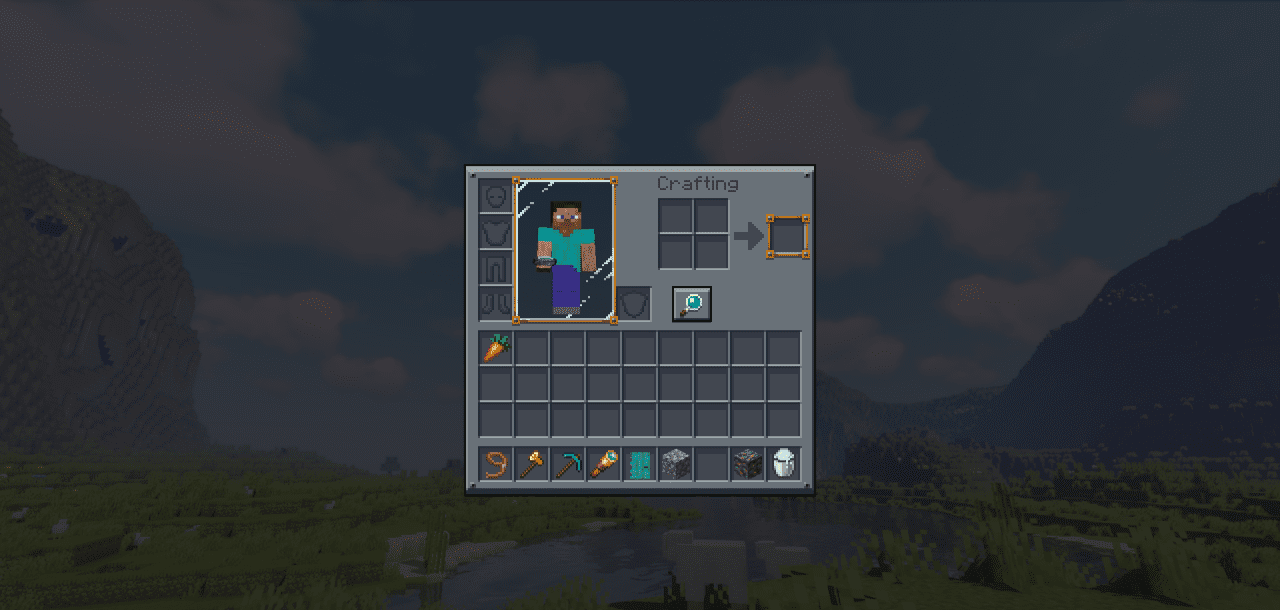
The inventory, crafting menu, and other windows get an updated appearance, while all information remains in its usual places. This pack does not change the Minecraft world itself, but it makes interacting with the game much more pleasant.
How to install the texture pack:
First step: download and install Mandala’s GUI – Dark Mode
Second step: copy the texture pack to the C:\Users\USER_NAME\AppData\Roaming\.minecraft\resourcepacks
Third step: in game settings choose needed resource pack.
Comments (0)