



Short Swords for Minecraft 26.1.2
During combat, visibility plays a huge role, and Short Swords makes fighting in Minecraft more comfortable precisely because of that. The pack changes the appearance of swords, making them shorter and more compact. As a result, the weapon covers less of the screen, allowing the player to better track enemies, surroundings, and movement during attacks.
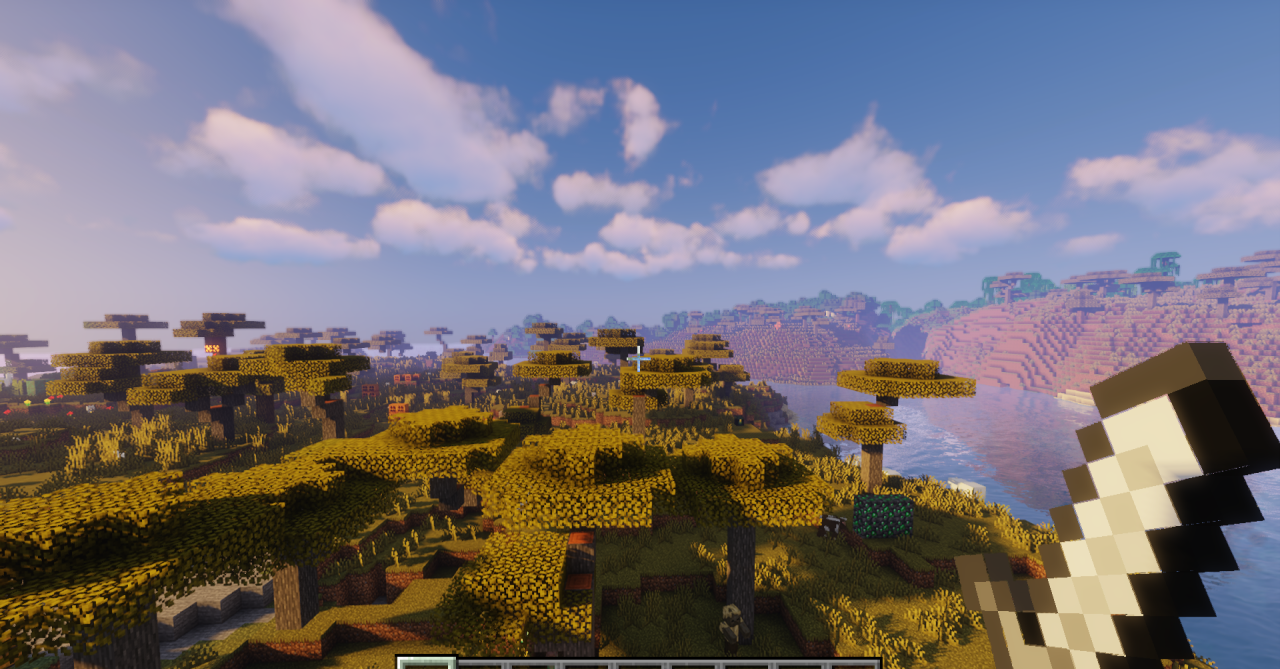
At the same time, the swords do not lose their recognizable appearance and still look like proper weapons — they simply become more visually practical. This option is especially appealing for players who frequently participate in PvP, explore dangerous areas, or just want a cleaner combat interface. The pack does not change gameplay mechanics, but it makes combat feel lighter, more precise, and more responsive.
How to install the texture pack:
First step: download and install Short Swords
Second step: copy the texture pack to the C:\Users\USER_NAME\AppData\Roaming\.minecraft\resourcepacks
Third step: in game settings choose needed resource pack.
Comments (0)