



Spook’s Tweaks for Minecraft 26.1.2
Spook’s Tweaks does not remake Minecraft from scratch, but rather carefully polishes the familiar picture. The resource pack affects the environment: foliage becomes fluffier, biome colors look more saturated, and natural elements receive cleaner and more pleasant textures.
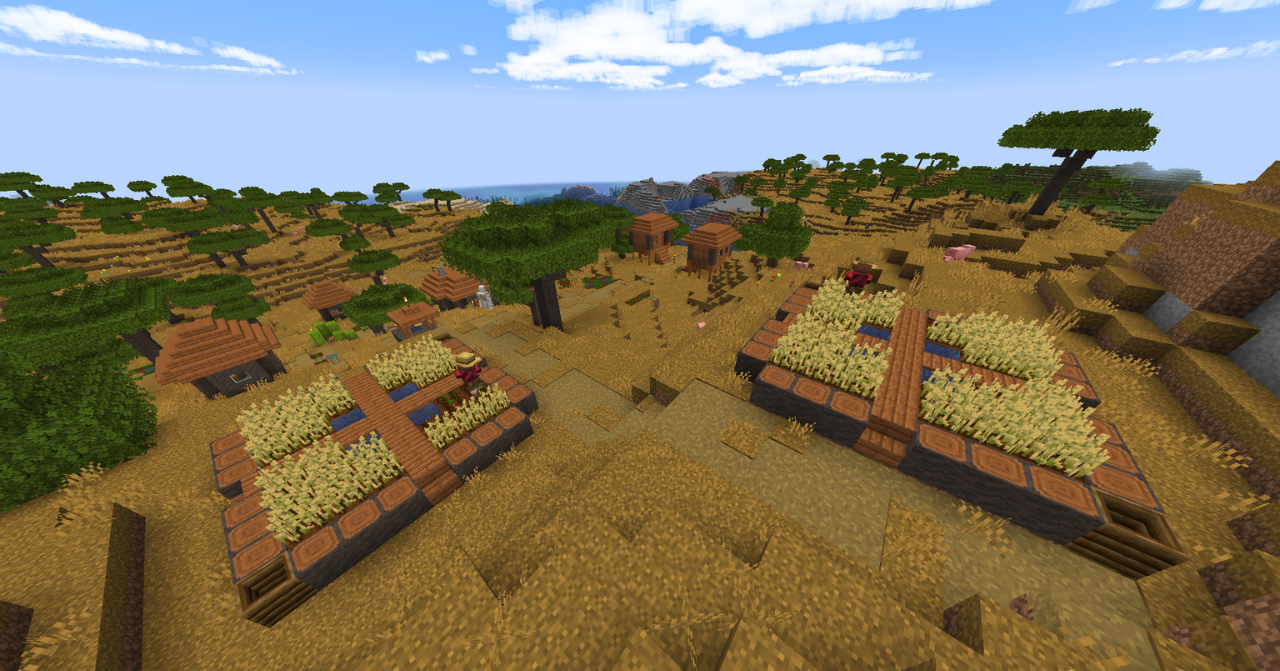
After this, the world feels fresher, but does not lose its vanilla foundation. Forests look more voluminous, plains look softer, and transitions between biomes feel smoother thanks to the unified palette. At the same time, the pack does not overload the screen with details and does not create the feeling of foreign graphics. Familiar locations become neater, brighter, and slightly more atmospheric, while exploring the world feels more pleasant.
How to install the texture pack:
First step: download and install Spook’s Tweaks
Second step: copy the texture pack to the C:\Users\USER_NAME\AppData\Roaming\.minecraft\resourcepacks
Third step: in game settings choose needed resource pack.
Comments (0)