



Aura Ores for Minecraft 26.2
Aura Ores works with ore blocks differently than ordinary outline packs. Instead of a simple border, ore receives a glowing effect, which makes it easier to notice in dark caves and deep tunnels. Diamonds, iron, gold, coal, redstone, and ancient debris begin to stand out against stone, deepslate, and Nether rocks.
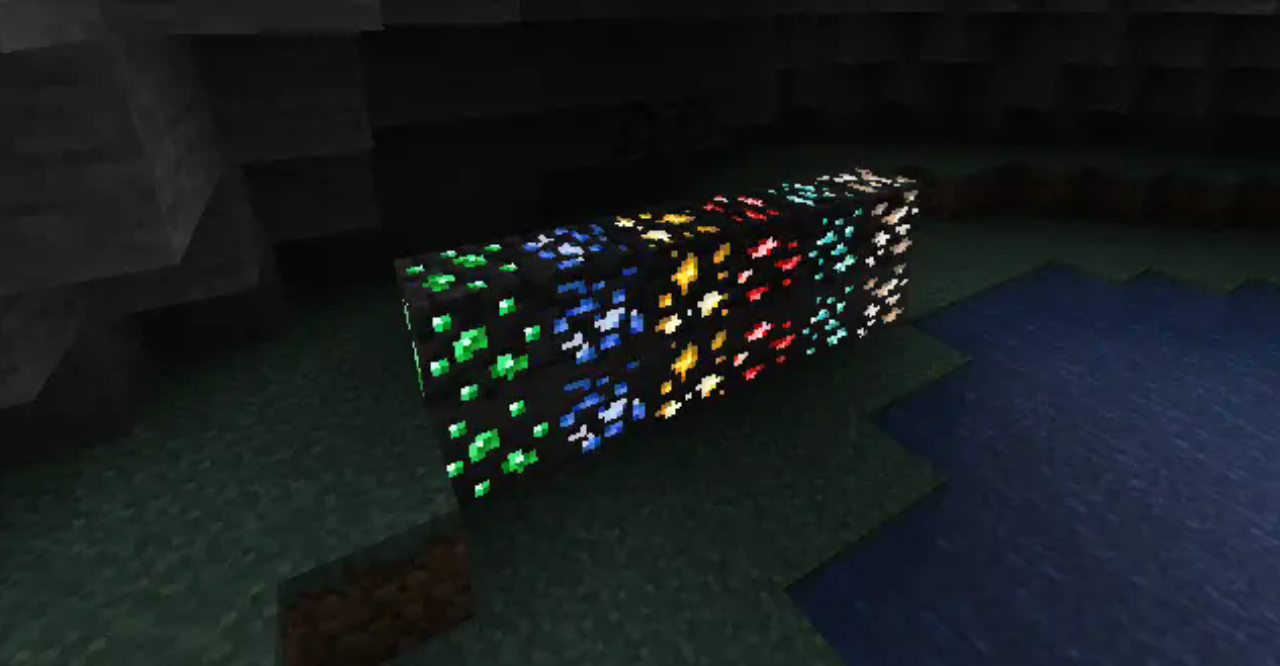
At the same time, the pack remains in a light 16×16 format and does not change most other textures. The world does not turn into a fully highlighted resource map: the effect is focused exactly on ore. This keeps the usual look of blocks, but makes mining more readable.
How to install the texture pack:
First step: download and install Aura Ores
Second step: copy the texture pack to the C:\Users\USER_NAME\AppData\Roaming\.minecraft\resourcepacks
Third step: in game settings choose needed resource pack.
Comments (1)