



Neythox Nether Sky for Minecraft 26.3
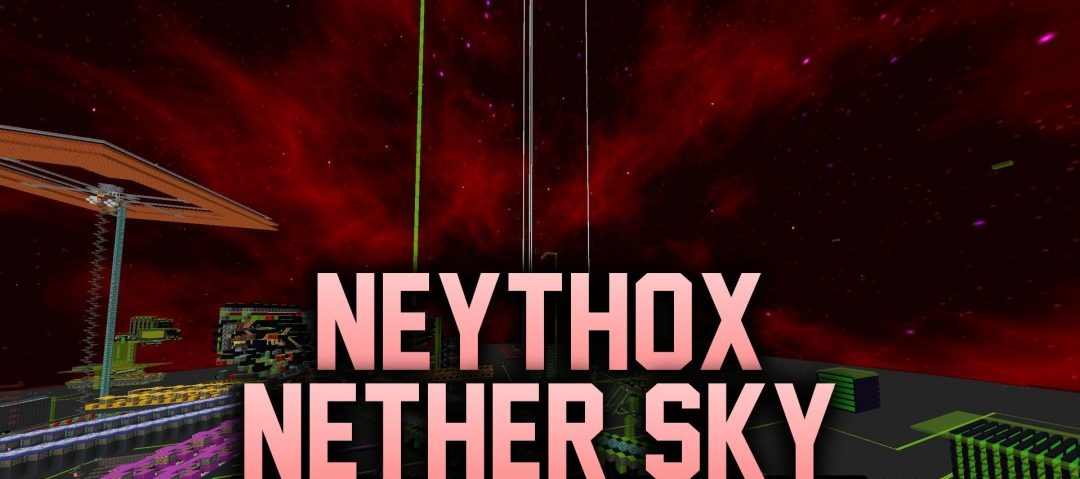
The sky in the Nether usually goes largely unnoticed, but Neythox Nether Sky transforms it into an entire cosmic landscape. Five biomes feature different versions of a red sky with stars and nebula-like clouds. What’s more, the design changes depending on the area, so whilst travelling through the Nether, you can see several completely different backgrounds.
You’ll need FabricSkyBoxes (NUIT) or Skyboxify for this to work, as standard Minecraft doesn’t support such custom skyboxes on its own. The author also recommends disabling Nether fog via Tweakeroo or another suitable mod. Otherwise, it may obscure most of the new sky.
How to install the texture pack:
Step 1: Download the texture pack from the link below.
Step 2: Extract the downloaded archive and copy the folder Neythox Nether Sky to the path c:\Users\Пользователь\AppData\Roaming\.minecraft\resourcepacks\ (if this folder does not exist, create it yourself) (For Windows)
Step 3: In the game, go to Settings, then Resource Packs. In the left-hand list, click on the icon for the newly added texture pack.
Comments (0)