



Tiny Village for Minecraft Pocket Edition 1.5.2
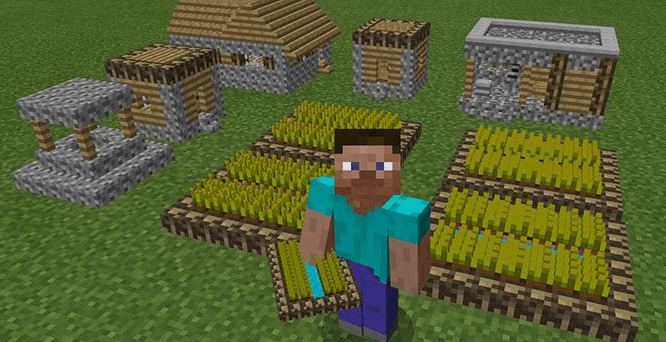
 If you fancy a bit of building but are short on time, try the Tiny Village texture pack for version 1.5.2.
You’ll have a wonderful opportunity to create your very own tiny village. In the game, skulls and heads have been replaced with small structures, including various houses, farms and wells. These blocks have a specific structure and are easy to use. This means you can create a cosy little village in just a few minutes. The villagers can only marvel at the speed of construction and enjoy the living conditions in these houses, which may seem unusual at first glance.
How to install:
Step 1: Run the downloaded file to import the add-on/texture into Minecraft.
Step 2: Open Minecraft Pocket Edition and go to the world settings.
Step 3: Apply the imported resource packs to the world. In each section, select the imported resource packs / add-on.
Step 4: Restart Minecraft Pocket Edition, enter the Minecraft world you previously configured, and enjoy the texture pack!
Comments (0)