



Minecraft 26.1 Snashot-7 Java Edition Download (Overview)
On February 11, 2026, 26.1 Snapshot-7 was released for Minecraft: Java Edition. In this update, the developers focused on reworking the models of baby hostile mobs and fixing bugs.
Contents:
1 Updated Textures and Other Changes
2 Fixed Bugs
3 Installation
4 Download Links
Updated Textures and Other Changes
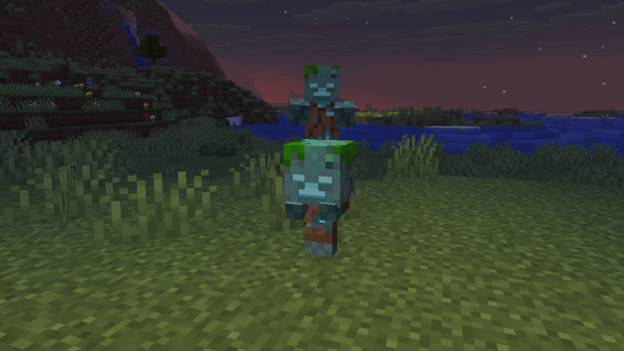
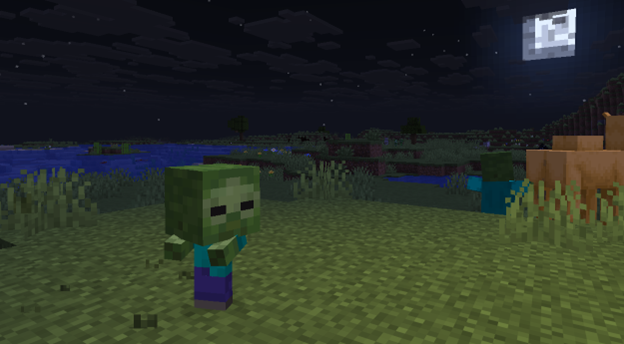
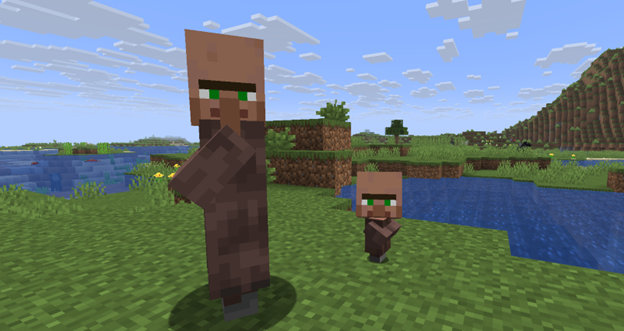
Updated Baby Models and Textures
The developers updated the appearance of the small versions of the following mobs:
- Villager
- Zombie
- Zombie Villager
- Zombified Piglin
- Husk
- Piglin
- Drowned
Mob Sound Variations
Adult variants of certain animals have now received alternative sound sets. This does not change gameplay, but it makes the world feel more lively and diverse.
Added variations:
- Cat — new royal variation.
- Pig — mini (small) and big variations.
- Cow — moody variation.
- Chicken — picky variation.
Fixed Bugs
A total of 28 bugs from previous versions and early 26.1 builds have been fixed in this snapshot. Five of the most notable fixes:
· MC-13187 — Water in cauldrons was opaque. It now renders correctly and looks natural again.
· MC-305580 — Baby zombie horses and skeleton horses were growing into adults. The behavior has been aligned with the logic of other undead mobs — they no longer grow up.
· MC-305999 — Objects appeared fully bright under any lighting except 0. A critical lighting bug affecting the appearance of the world has been fixed.
· MC-306172 — Golden dandelions did not affect baby hoglins. The interaction mechanic now works correctly.
· MC-306185 — Incorrect podzol generation in old-growth taiga. A world generation bug in old pine and spruce taiga biomes has been fixed.
Installation
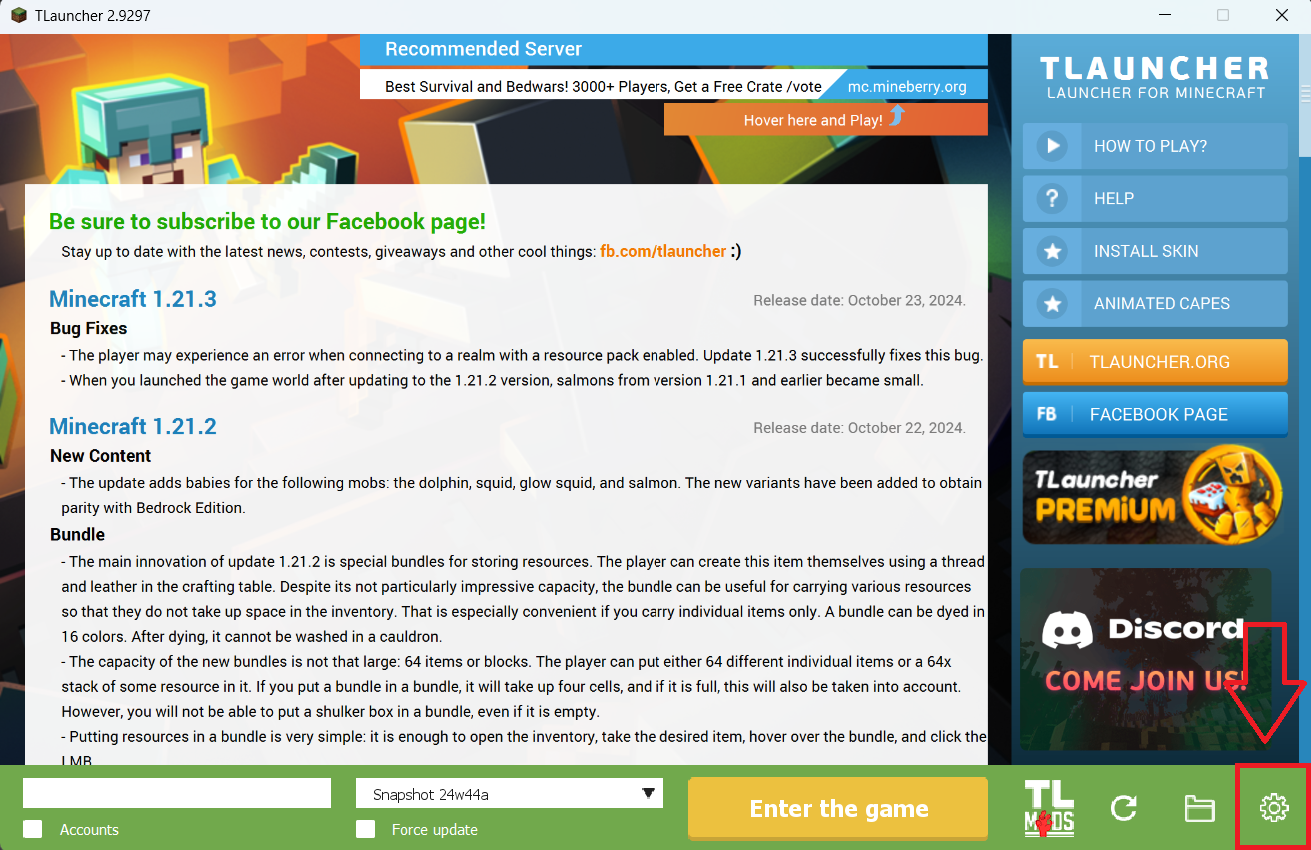
Step 1. Open TLauncher and go to the Settings tab by clicking the gear icon in the lower right corner.
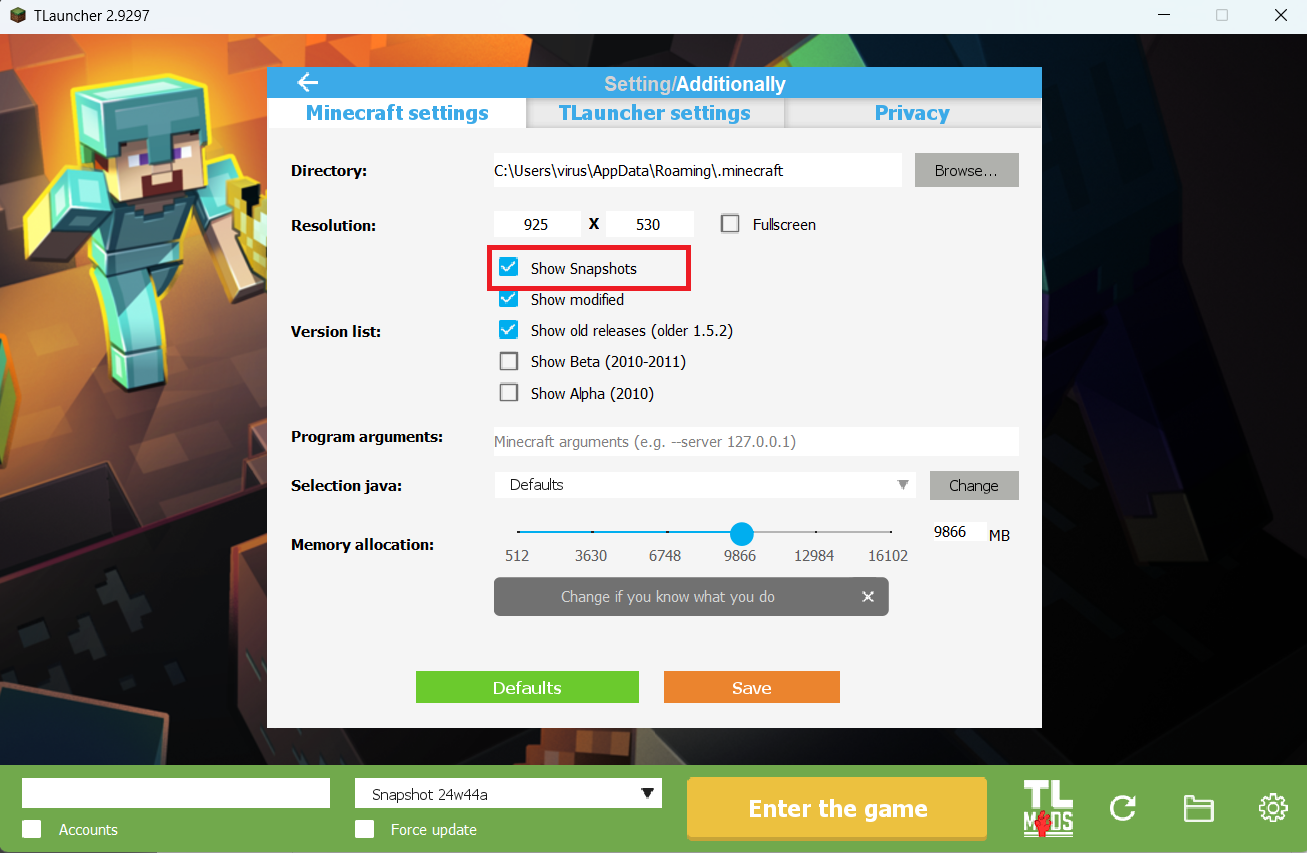
Step 2. Select the Display Snapshots checkbox, and do not forget to save the changes by clicking the appropriate button at the bottom.
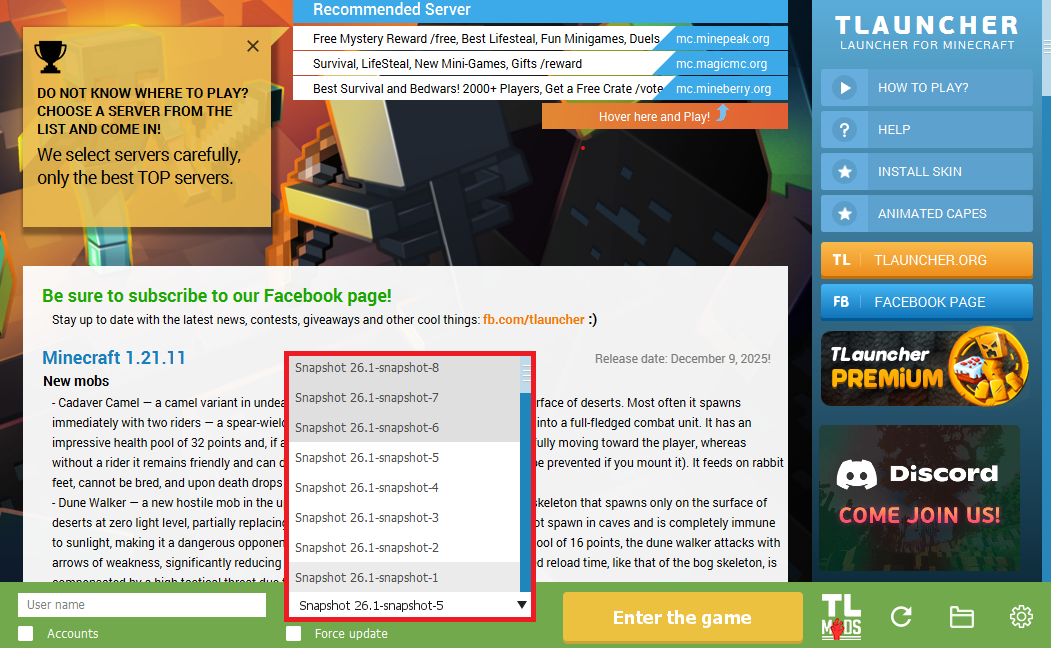
Step 3. On the main screen of TLauncher, open the version selection tab, select the desired snapshot, and click 'Install' or 'Launch the Game' if the snapshot is already installed.
Download Links
26.1 Snapshot-7 is out!
Previous snapshots:
The latest version of the game:
Comments (0)