



Minecraft 26.1 Snashot-8 Java Edition Download (Overview)
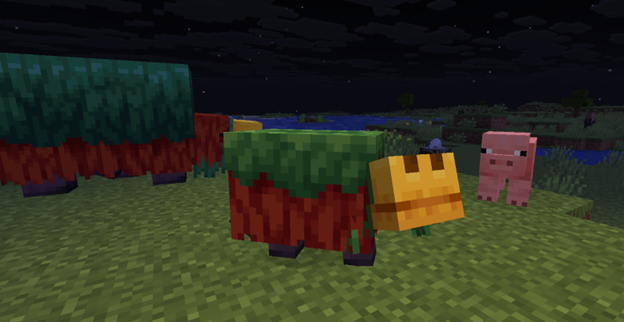
26.1 Snapshot-8 (February 17, 2026) — the eighth snapshot for version 26.1 in Minecraft: Java Edition. This snapshot continues the work on visual changes to mobs that began earlier. The developers refined the creature models from the previous snapshot, correcting shortcomings and clarifying appearance details. In addition, baby variants of the remaining mobs that had not yet been affected by the changes have now received updates.
Contents:
1 Changes
2 Bug Fixes
3 Installation
4 Download Links
Changes
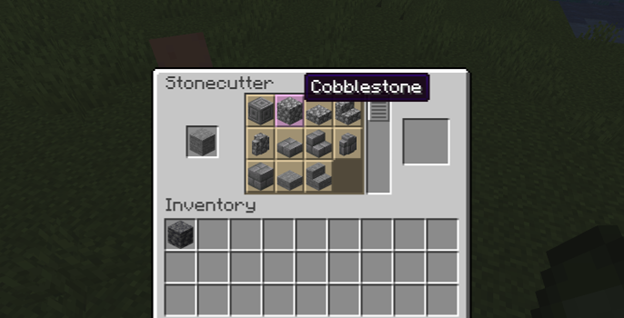
The stonecutter has received expanded crafting capabilities. It is now possible to create the following from deepslate:
- cobbled variant
- polished variant
- bricks
- tiles
From regular stone, it is now possible to directly craft:
- cobblestone
- other cobblestone-derived blocks
Mobs — Baby Variants
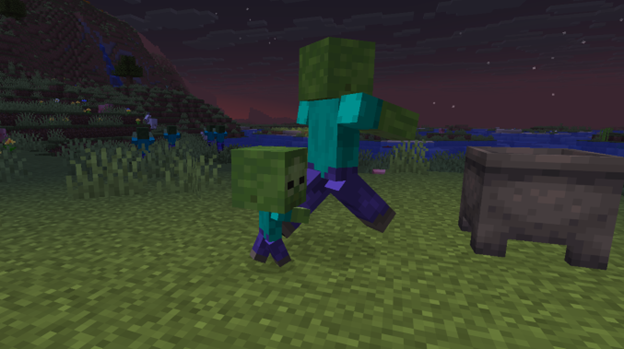
The snapshot continues the line of creature model updates. The hitbox sizes of baby variants of the following mobs have been reduced and reworked. They can now pass through gaps 1 block high and 0.5 blocks wide:
- Villager
- Zombie
- Zombie Villager
- Zombified Piglin
- Husk
- Piglin
- Drowned
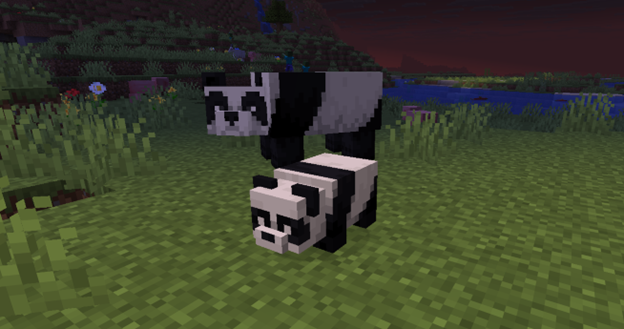
The models and textures of baby variants of the following creatures have also been updated:
- Zoglin
- Sniffer
- Panda
- Strider
- Hoglin
Bug Fixes
22 bugs have been fixed in the eighth snapshot. 5 main fixes:
- The glowing effect is displayed again in Minecraft (MC-306314).
- Small zombies and their variants can once again pass through 1-block-high spaces (MC-306345).
- Numerous bugs related to the use of bone meal have been fixed (several issues from previous versions).
- The main menu panorama no longer rotates too quickly when loading a world (MC-305103).
- Stray adult cats now produce the correct sounds (MC-306342).
Installation
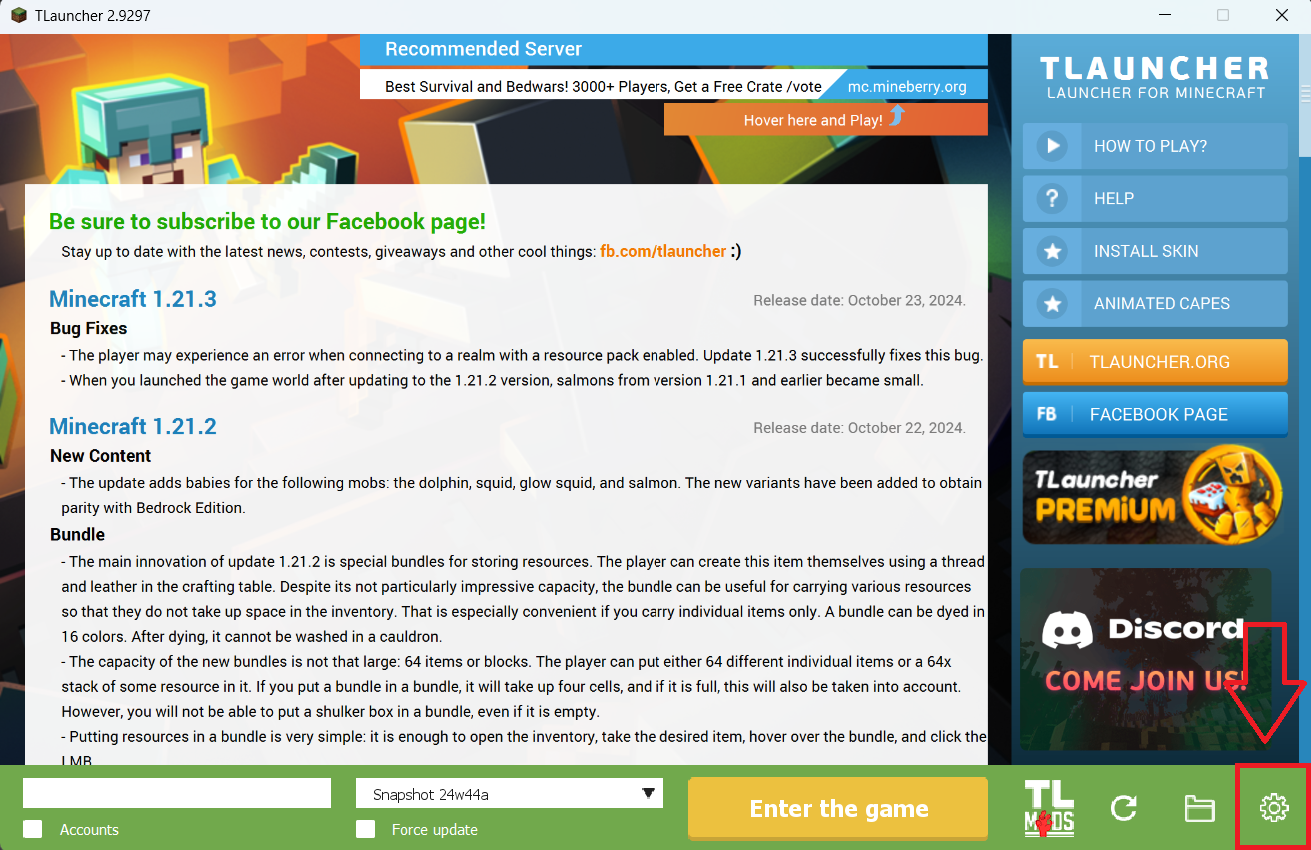
Step 1. Open TLauncher and go to the Settings tab by clicking the gear icon in the lower right corner.
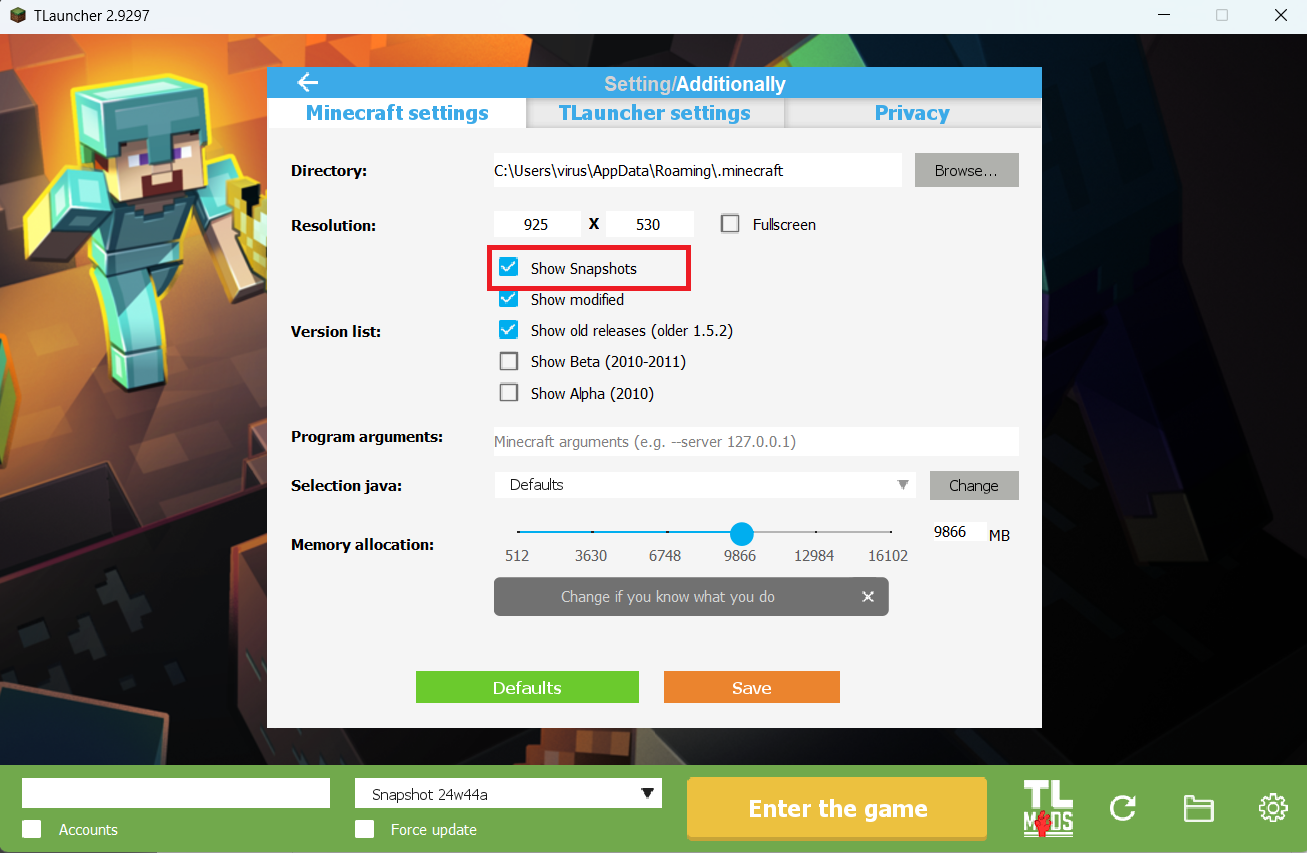
Step 2. Select the Display Snapshots checkbox, and do not forget to save the changes by clicking the appropriate button at the bottom.
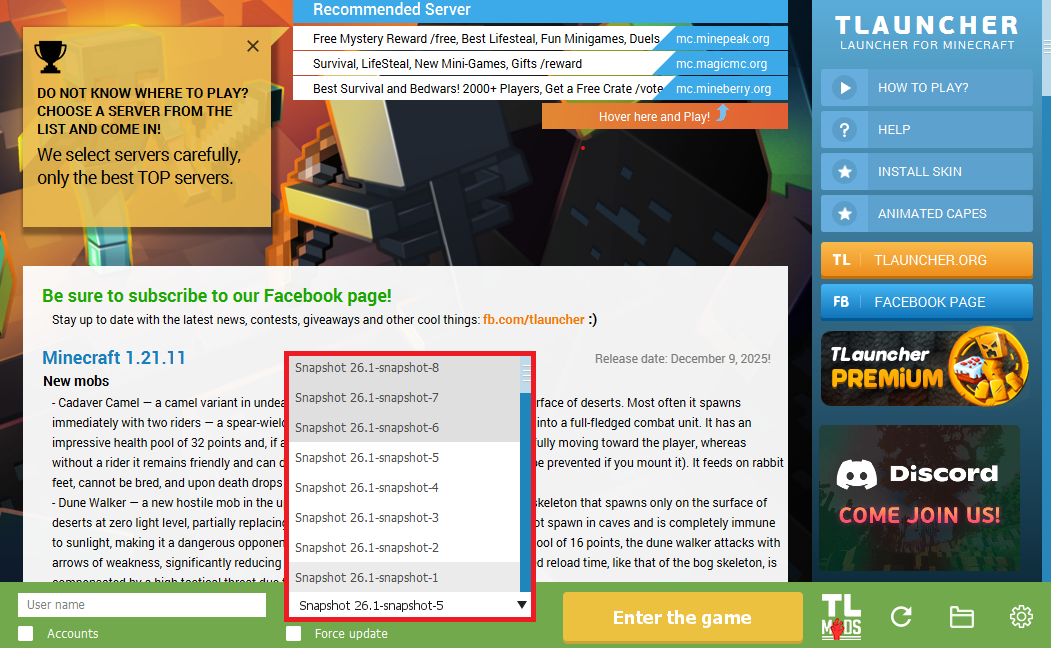
Step 3. On the main screen of TLauncher, open the version selection tab, select the desired snapshot, and click 'Install' or 'Launch the Game' if the snapshot is already installed.
Download Links
26.1 Snapshot-8 is out!
Previous snapshots:
The latest version of the game:
Comments (1)