



Minecraft 26.1 Snashot-9 Java Edition Download (Overview)

26.1 Snapshot-9 — a minor update released on February 18, 2026. This is not a snapshot with new content, mechanics, or experimental features. There are no new blocks, mobs, or balance changes here. In this snapshot, the developers fixed only three bugs, but they belonged to the critical category. That is, the types of bugs that directly affected the game’s stability or the correct functioning of mechanics.
Contents:
1 Fixed Bugs
2 Installation
3 Download Links
Fixed Bugs
A total of 3 critical bugs were fixed, and all of them carried over from the previous 26.1 preview versions:
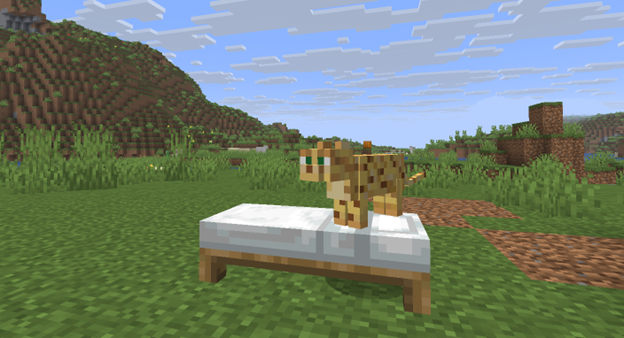
· MC-305579 — kittens constantly meowed when lying on a bed. The bug caused the sound to play endlessly and greatly irritated players.
· MC-306456 — the game crashed if an entity ended up outside the allowed world height. This was a critical crash, especially dangerous for servers and technical modpacks.
· MC-306479 — entity shadows were displayed higher than intended when a scoreboard objective with below_name display was active. The issue broke the visual perception of the scene.
Installation
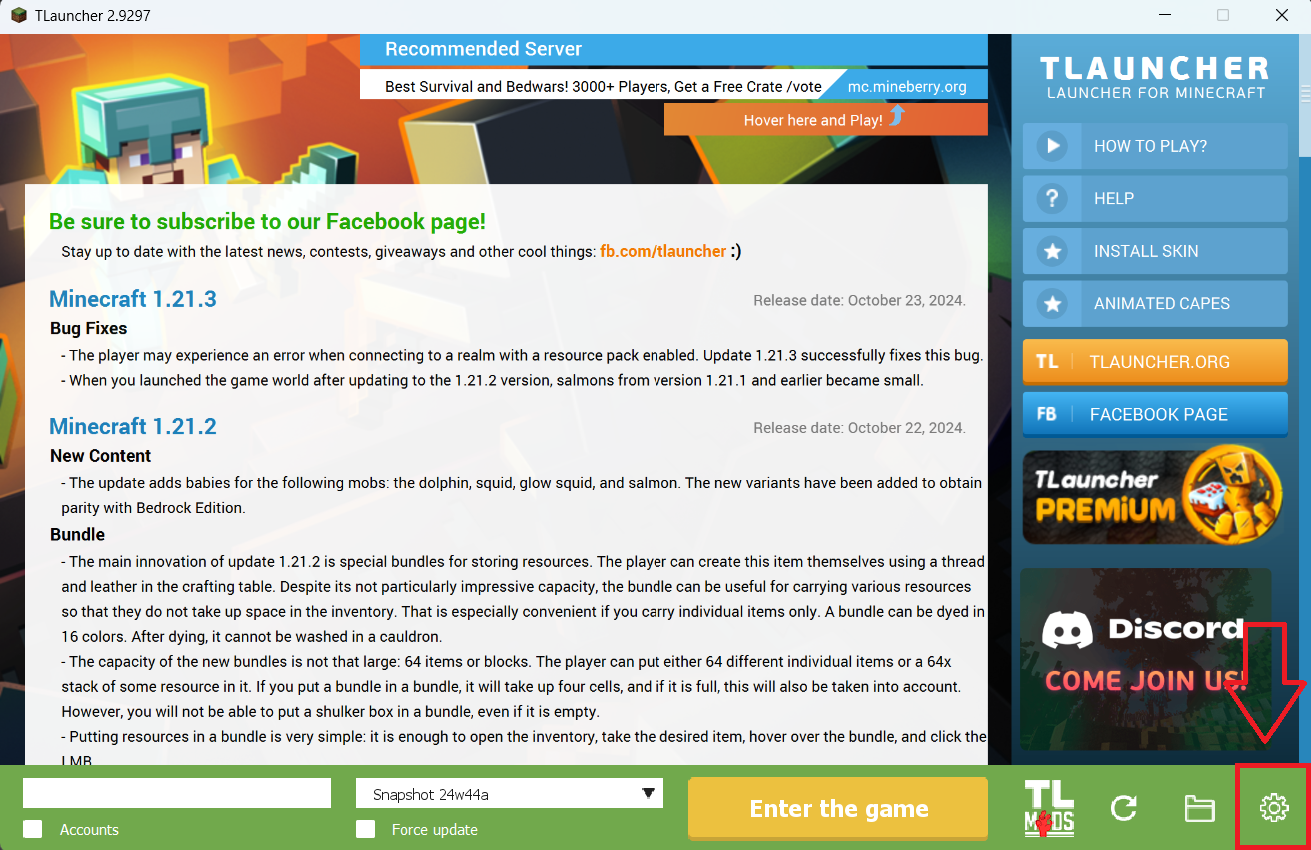
Step 1. Open TLauncher and go to the Settings tab by clicking the gear icon in the lower right corner.
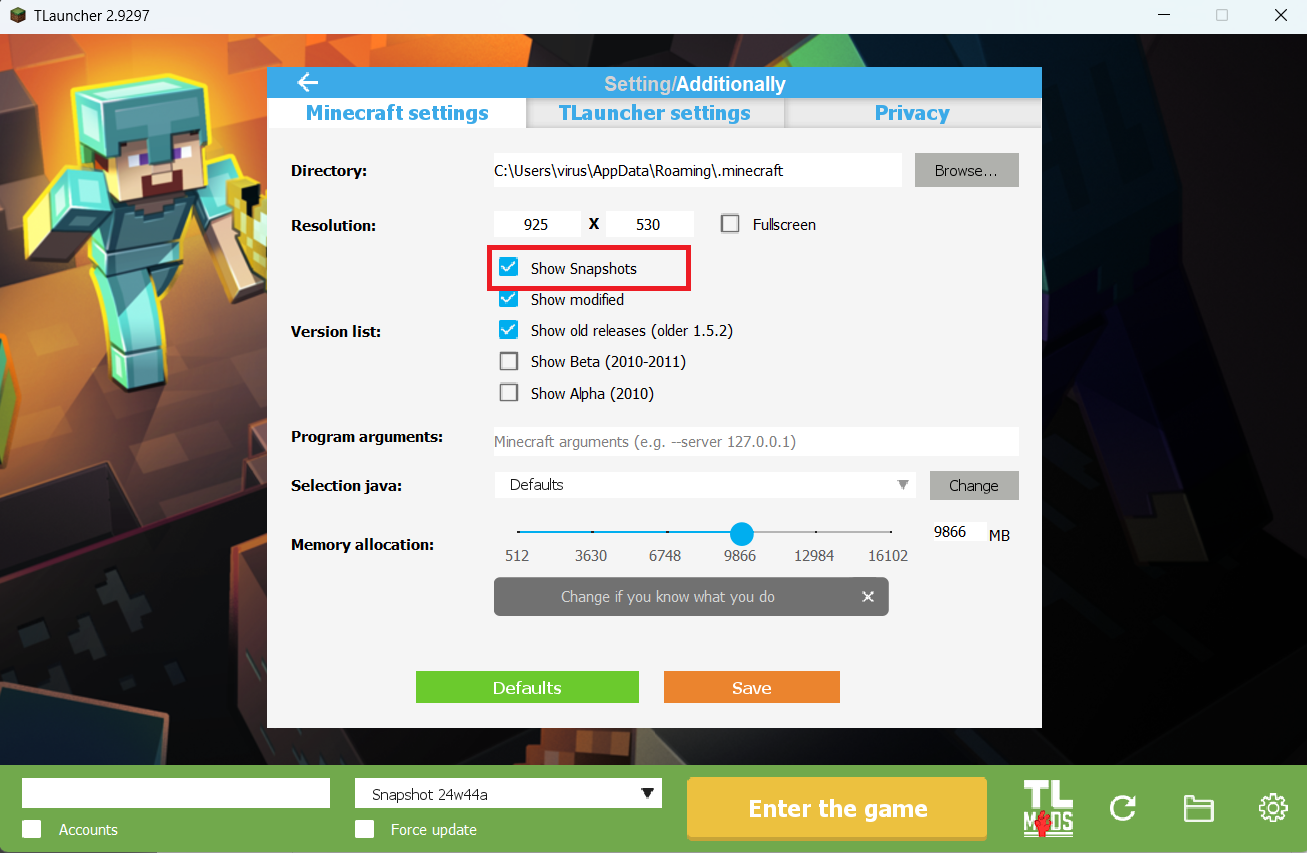
Step 2. Select the Display Snapshots checkbox, and do not forget to save the changes by clicking the appropriate button at the bottom.
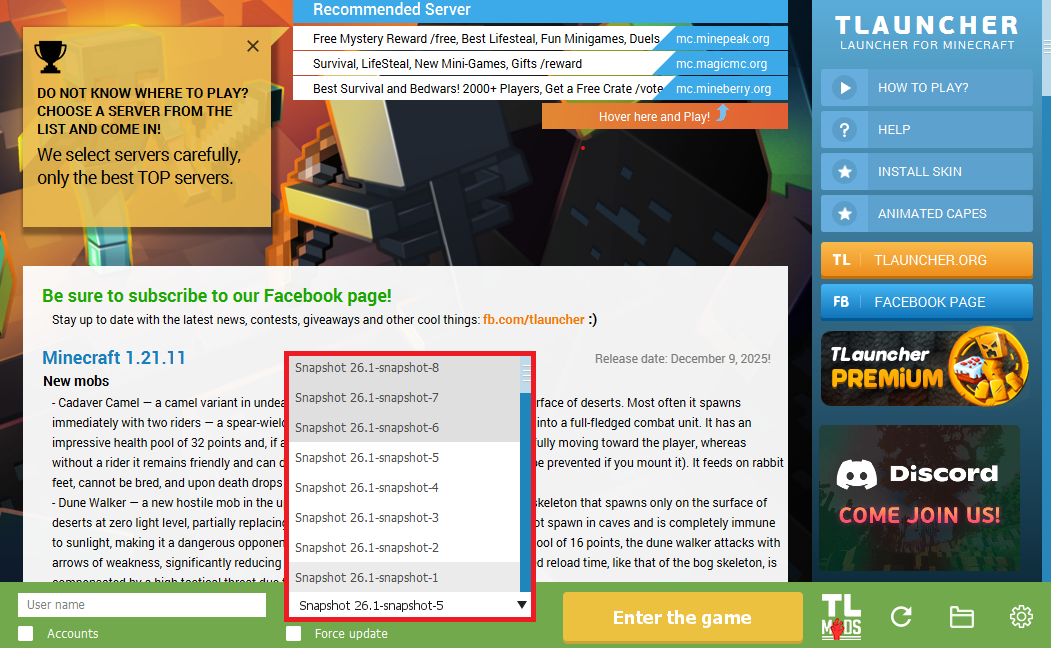
Step 3. On the main screen of TLauncher, open the version selection tab, select the desired snapshot, and click 'Install' or 'Launch the Game' if the snapshot is already installed.
Download Links
26.1 Snapshot-9 is out!
Previous snapshots:
The latest version of the game:
Comments (2)