



Minecraft 26.1 Snashot-1 Java Edition Download (Overview)
On December 16, 2025, Mojang Studios released the first snapshot for the Minecraft version: 26.1 Snapshot-1. This release opened the 26.1 update cycle and immediately set a new technical direction for the game. The snapshot introduced several important changes. Trading can now be controlled through data packs, in-game lighting and the visual display of the "Night Vision" effect have been improved, and numerous technical adjustments and bug fixes have been implemented.
Of particular note is that this is:
- The first snapshot with the new numbering format announced in December 2025
- Migration to Java 25 — a new Java version is now required to launch the game
Contents:
1 Innovations
2 General Changes
3 Installation
4 Download Links
Innovations
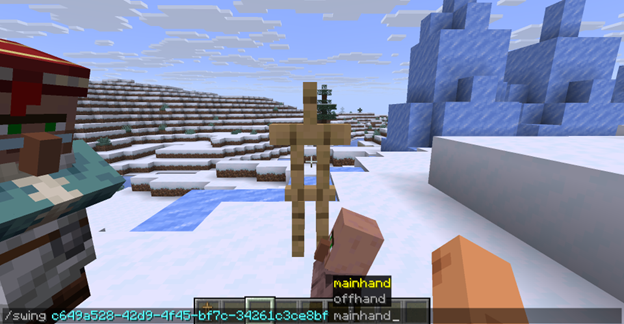
The /swing command. Command syntax: /swing <entity_selector> <mainhand|offhand>
· It allows you to forcibly play the hand-swing animation for the selected entity.
- Works with all entities, however the animation is displayed only for those that support it
- The client shows the animation only if the entity model includes a hand-swing animation
- Returns in chat the number of entities that performed the action
For example, using this command you can make even an armor stand wave its arms.
General Changes
Server Free Space Monitoring
If there is little free disk space left on the server, operators (OPs) will now receive a pop-up warning. This will help prevent critical failures and world corruption caused by insufficient storage space in advance.
Migration to Java 25
Launching the game now requires Java 25. In addition, the Java version built into the launcher has been updated — it is now based on Microsoft OpenJDK 25. This is an important technical change that affects performance, compatibility, and future support of version 26.1.
New Lighting Map Algorithm
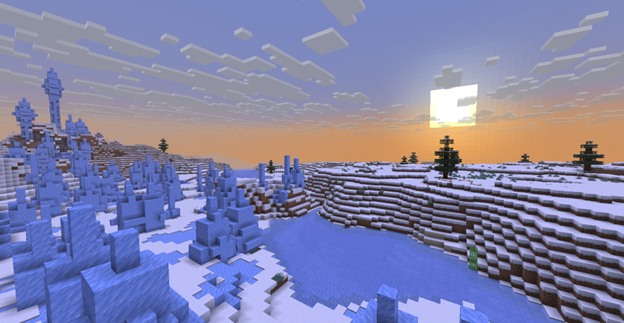
In the snapshot, the lighting calculation algorithm has been completely replaced. Overall, it preserves the previous visual result but has a number of important differences. Key changes
- The algorithm has become simpler and more understandable, which fixed errors in the previous system
- The "Darkness" effect and sky dimming during the Wither battle now work the same in all dimensions
- The "Night Vision" effect no longer scales the final colors and instead simply adds ambient lighting
- Completely dark areas no longer appear brighter than areas illuminated by blocks or the sky
- Lighting parameters (block light tint, ambient light color, behavior of "Night Vision") are now controlled via environment attributes
Installation
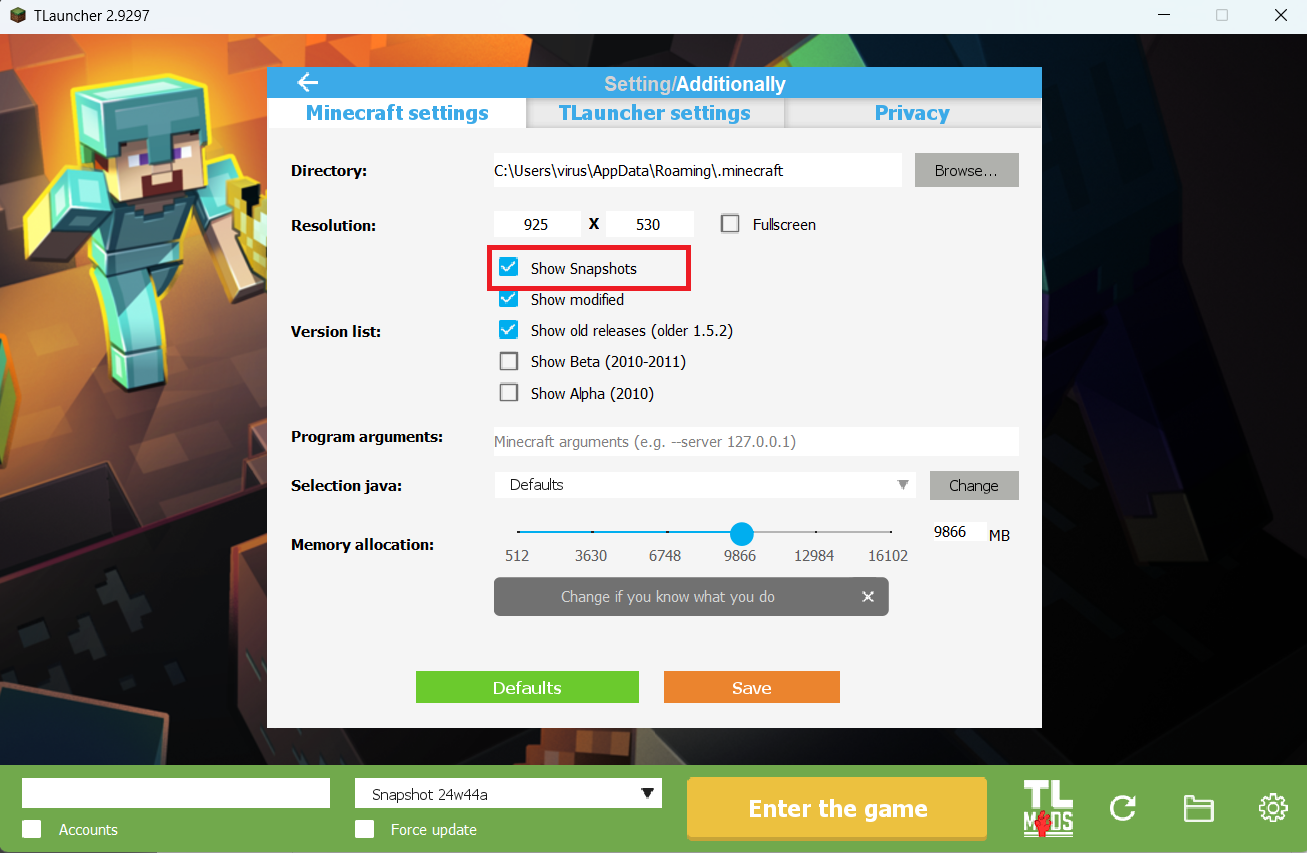
Step 1. Open TLauncher and go to the Settings tab by clicking the gear icon in the lower right corner.
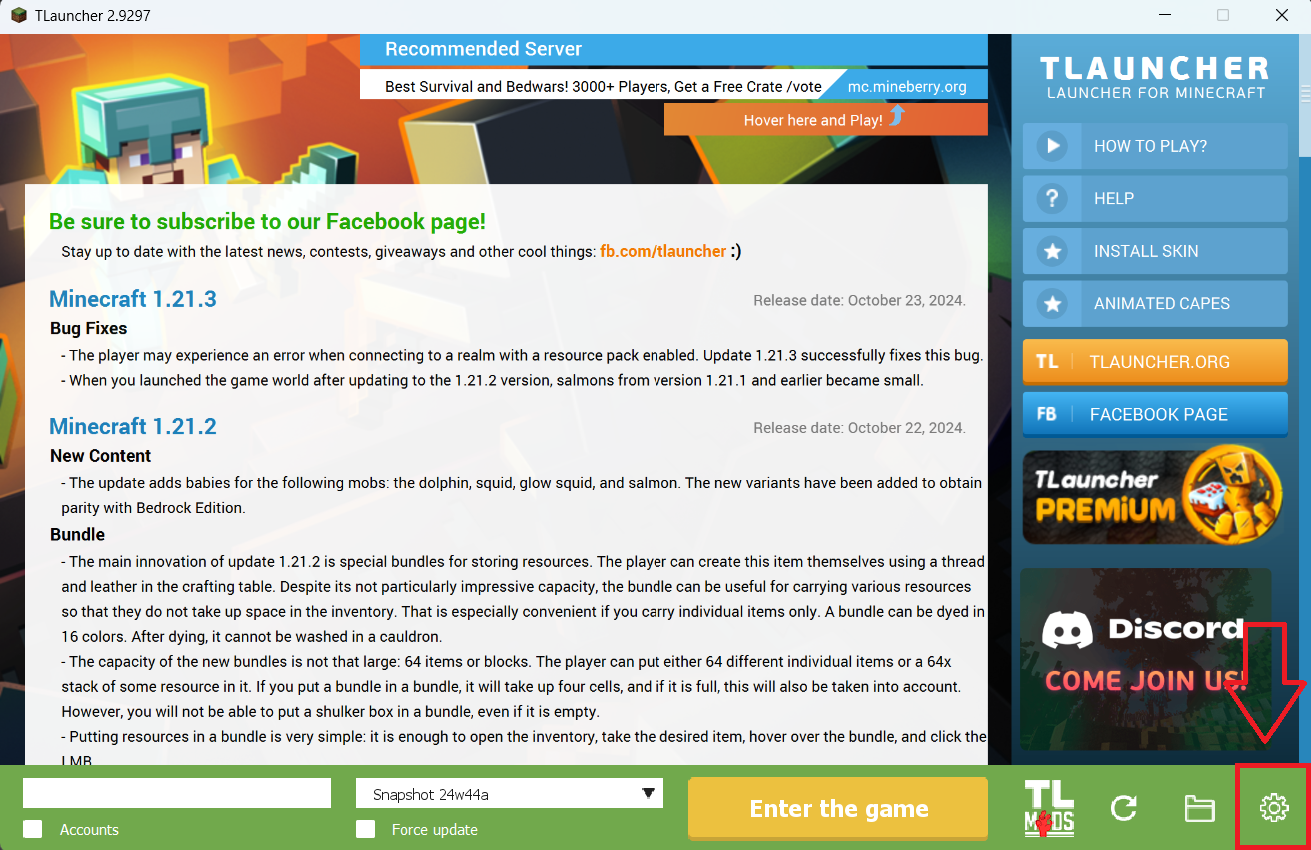
Step 2. Select the Display Snapshots checkbox, and do not forget to save the changes by clicking the appropriate button at the bottom.
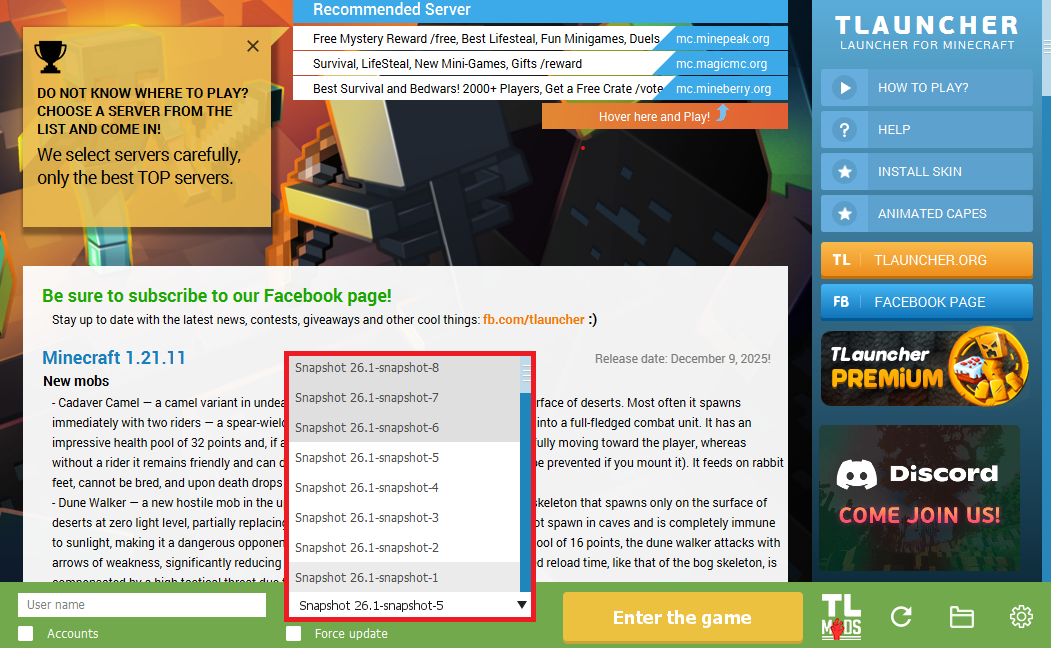
Step 3. On the main screen of TLauncher, open the version selection tab, select the desired snapshot, and click 'Install' or 'Launch the Game' if the snapshot is already installed.
Download Links
26.1 Snapshot-1 is out!
Previous snapshots:
The latest version of the game:
Comments (0)