



Minecraft 26.1 Snashot-2 Java Edition Download (Overview)
Released on January 7, 2026, 26.1 Snapshot-2 continues testing the new update branch for Minecraft: Java Edition. Instead of large-scale innovations, the developers focused on atmosphere and refined details that make the game world more lively and expressive. The spotlight is on baby mobs, which received a full visual overhaul, as well as several long-awaited quality-of-life improvements.
Contents:
1 Changes
2 Installation
3 Download Links
Changes
Name Tag
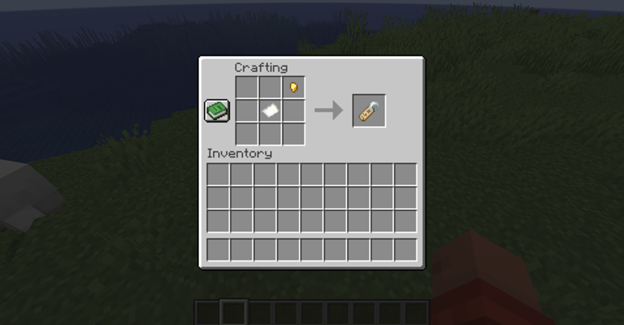
Previously, the name tag did not have a crafting recipe — it could only be found in treasure structures, loot chests, or obtained through fishing. This made large-scale use of name tags quite difficult in Survival mode. Now the name tag can be crafted manually — the recipe requires 1 paper and 1 metal nugget (iron, gold, or copper).
Baby Mobs
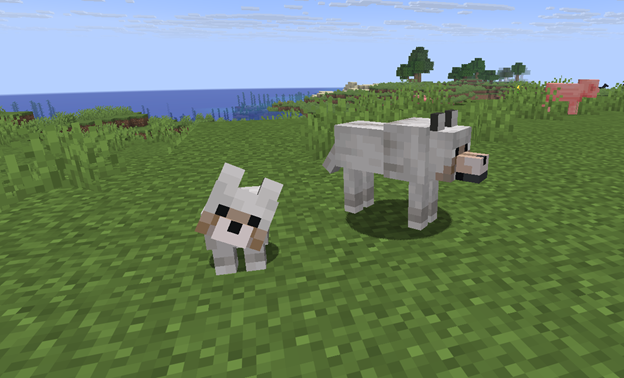
One of the main changes is a major visual overhaul of baby mobs. They no longer look like scaled-down copies of their adult versions, but instead appear as proper young variants with their own distinct features.
- · New unique sounds have been added for baby wolves, cats, and pigs.
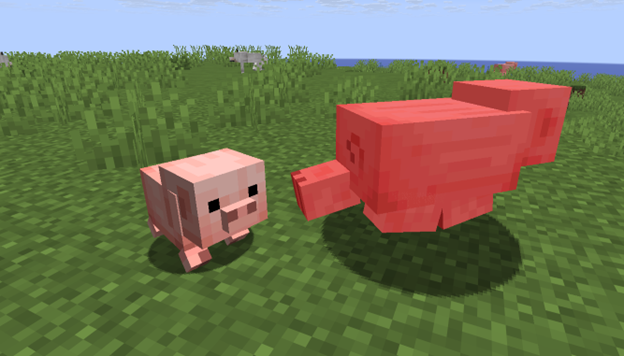
The following baby mobs received new models and textures:
- Wolf
- Wolf armor on a baby no longer renders
- Mooshroom
- Cow
- Cat
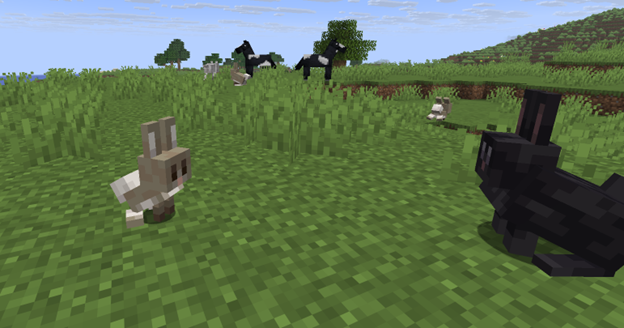
- Rabbit
- Chicken
- Hitbox adjusted according to the new model
- Sheep
- Ocelot
- Pig
- Saddle on a baby no longer renders
Additional changes for the baby rabbit:
- Model and textures have been changed
- New animations have been added
- Hitbox updated according to the new model
- Rabbit textures from the “Classic” pack were removed due to the model update
Installation
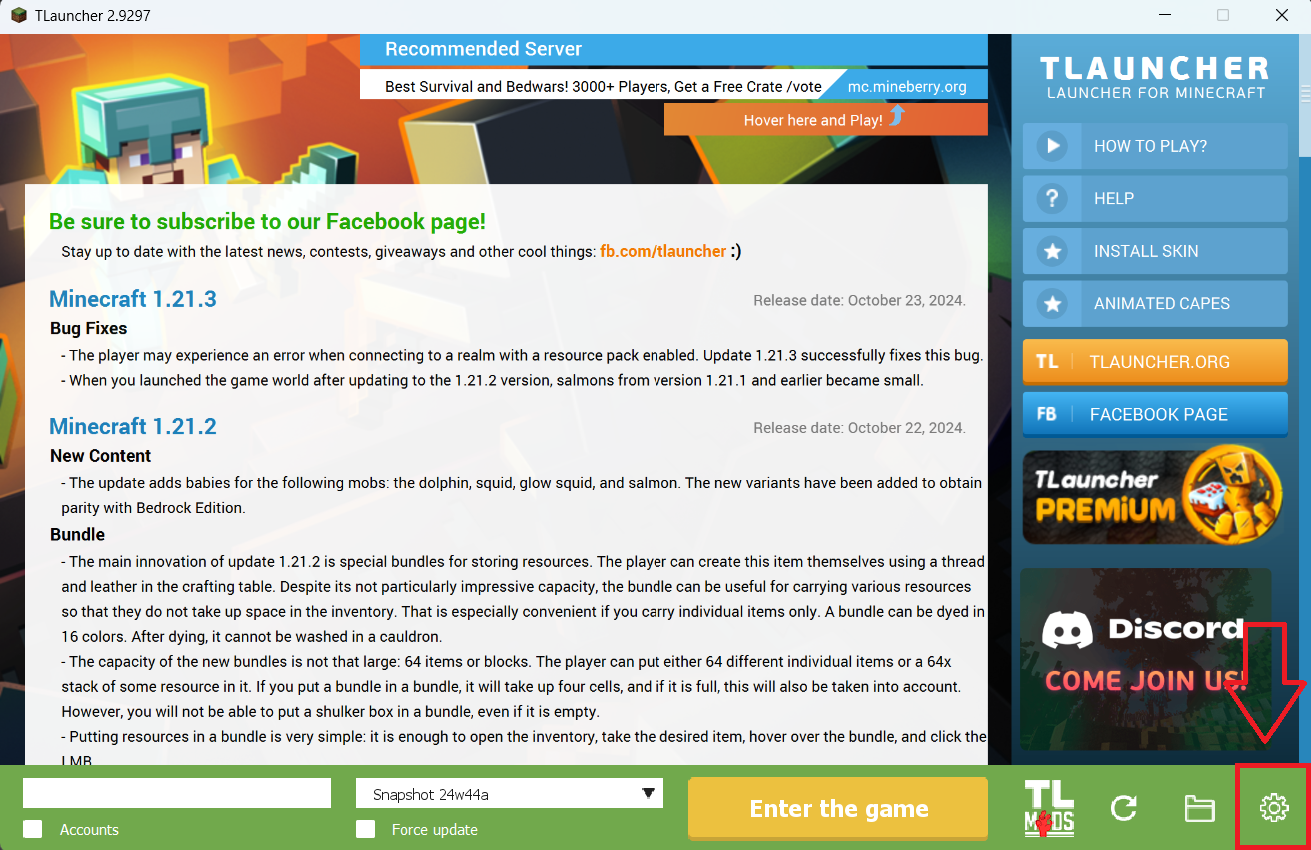
Step 1. Open TLauncher and go to the Settings tab by clicking the gear icon in the lower right corner.
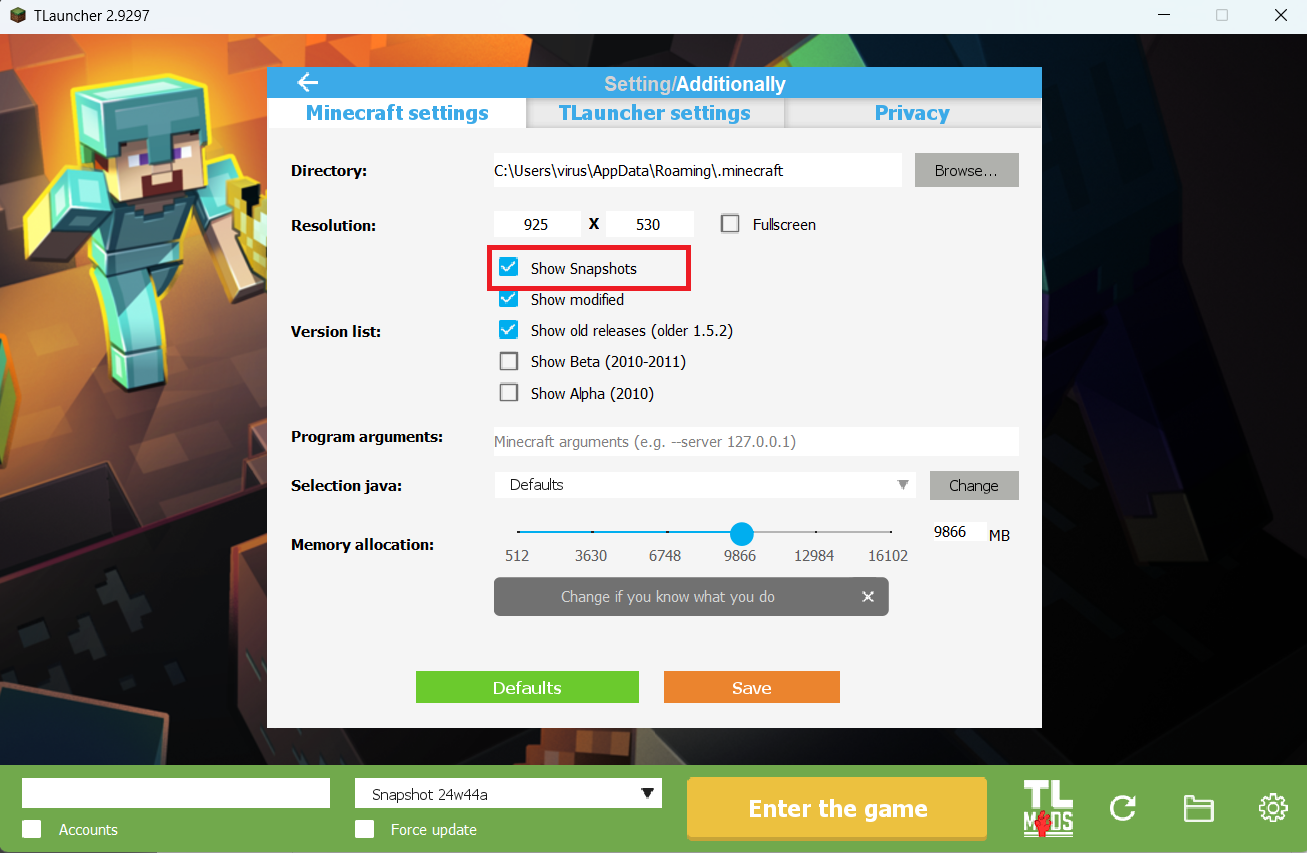
Step 2. Select the Display Snapshots checkbox, and do not forget to save the changes by clicking the appropriate button at the bottom.
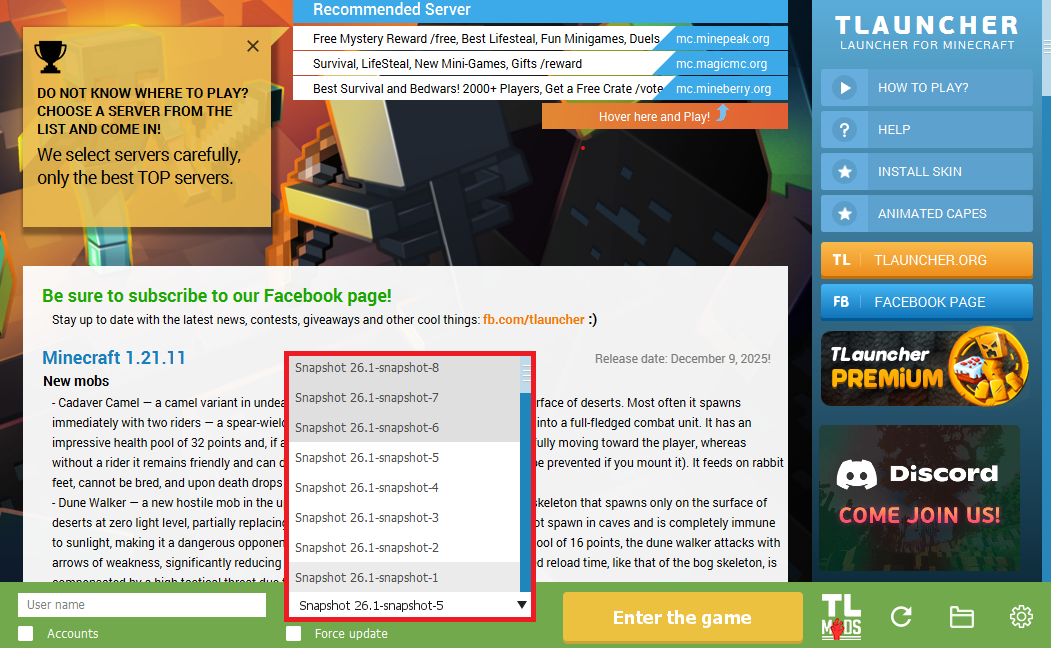
Step 3. On the main screen of TLauncher, open the version selection tab, select the desired snapshot, and click 'Install' or 'Launch the Game' if the snapshot is already installed.
Download Links
26.1 Snapshot-2 is out!
Previous snapshots:
The latest version of the game:
Comments (0)