



Minecraft 26.1 Snashot-3 Java Edition Download (Overview)
Minecraft: Java Edition 26.1 Snapshot-3, released on January 13, 2026, is the third test version in the 26.1 update cycle. The snapshot focuses primarily on technical improvements, expanded world management capabilities, and tools for map and datapack creators rather than adding new gameplay content.
Contents:
1 Main Changes and New Features
2 Installation
3 Download Links
Main Changes and New Features
Improved Game Rule Management
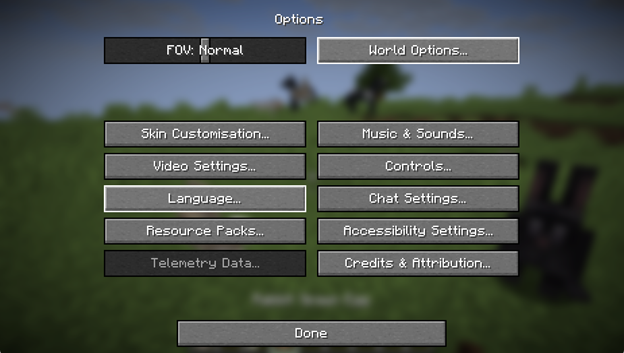
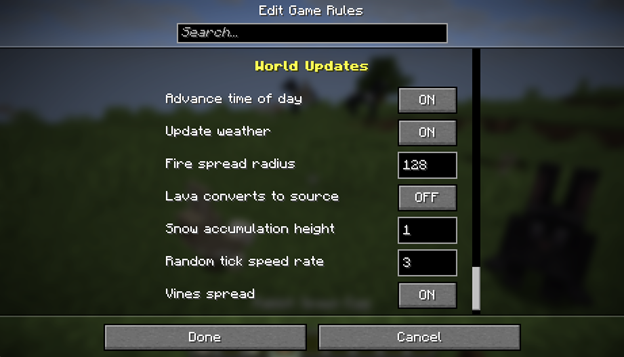
Snapshot-3 introduces a "World Options" button in the settings menu. Players can now modify game rules directly during gameplay without entering console commands and without restarting the world.
This is especially convenient for:
- testing mechanics,
- configuring mini-games,
- quickly changing the world's difficulty.
World Clocks System
One of the key new features is the "World Clocks" system. It expands how time works in the world and allows you to:
- create more flexible time-based scenarios,
- use new time mechanics in commands,
- simplify the creation of complex events in datapacks.
The /time command has also been updated to support the new time management mechanisms and timelines.
New Tags for Blocks and Fluids
Additional tags for blocks and fluids have been added. This change is primarily aimed at datapack and mod developers — it is now possible to group elements more flexibly and control them via commands.
Installation
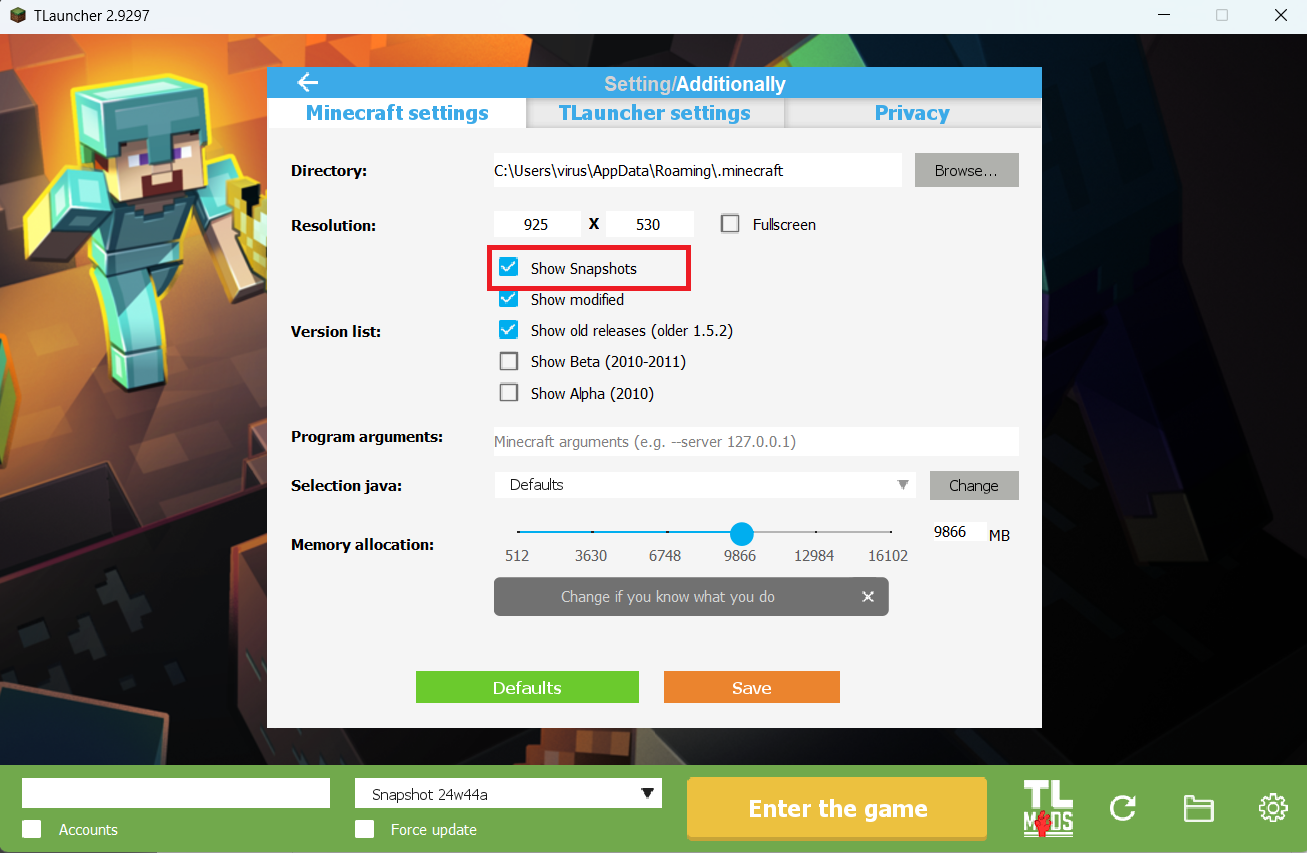
Step 1. Open TLauncher and go to the Settings tab by clicking the gear icon in the lower right corner.
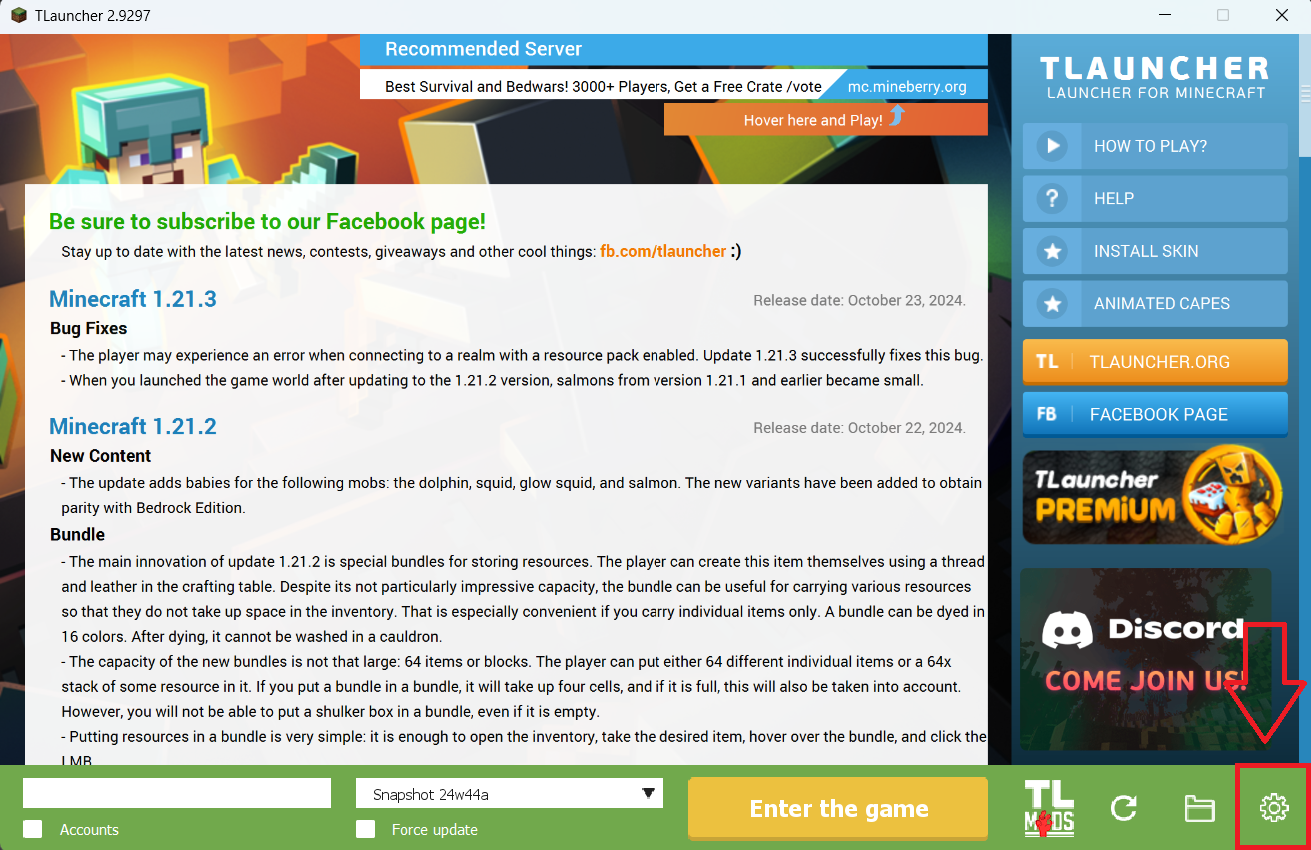
Step 2. Select the Display Snapshots checkbox, and do not forget to save the changes by clicking the appropriate button at the bottom.
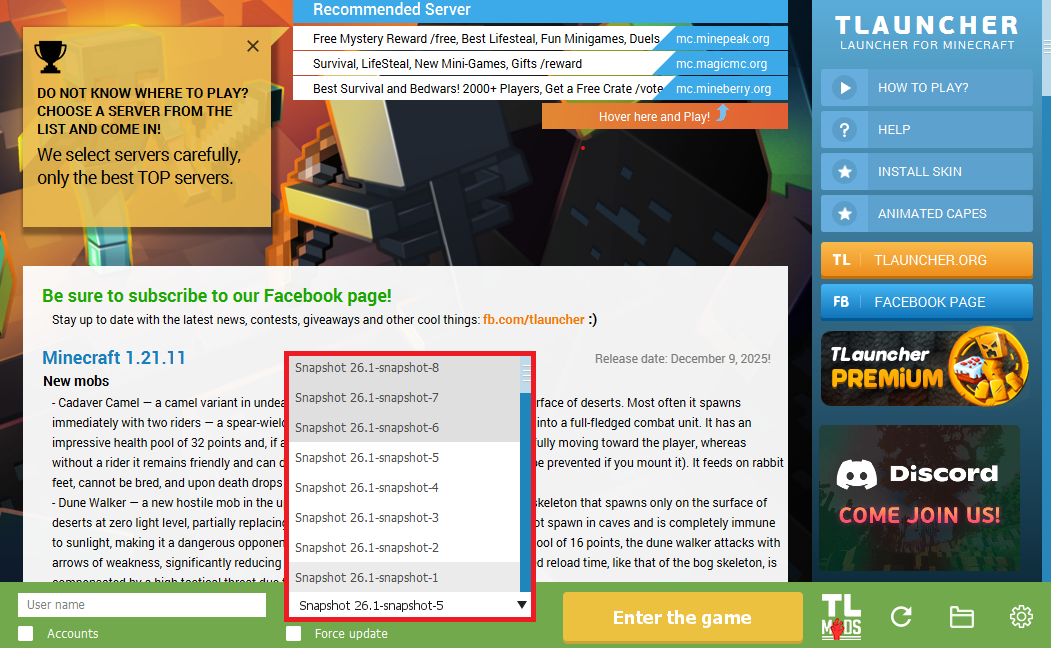
Step 3. On the main screen of TLauncher, open the version selection tab, select the desired snapshot, and click 'Install' or 'Launch the Game' if the snapshot is already installed.
Download Links
26.1 Snapshot-3 is out!
Previous snapshots:
The latest version of the game:
Comments (3)