



Minecraft 26.1 Java Edition Download
26.1 is a spring update for the Minecraft: Java Edition version, which was released on March 24, 2026. Mojang has radically changed the numbering system: now the version is determined by the year and the sequential number of the update; for example, 26.1 is the first major update of 2026. The version brings reworked baby mobs, the ability to stop their growth, name tag crafting, and an improved lighting system to the game.
Contents:
1 Main innovations
2 Technical improvements
3 Download links
Main innovations
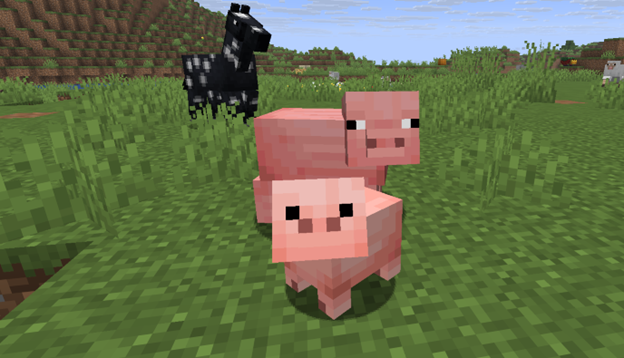
One of the central changes is the rework of baby creatures:
- New visual versions of babies have appeared for almost all mobs, including land and aquatic ones.
- They have new models, animations, and sounds — they have become more expressive and “cooler.”
- Sounds for adult mobs have been reworked, as well as different sound variations (for example, cats have a “royal” variant, pigs have a “mini” variant, etc.).
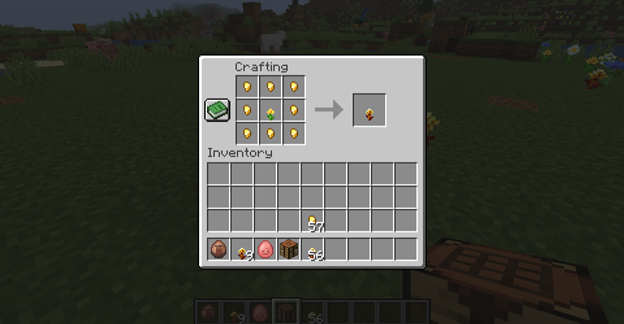
Golden Dandelion is a new flower crafted from a dandelion and 8 gold nuggets. It allows you to stop the growth process of baby creatures (if you hold it in your hand while interacting).
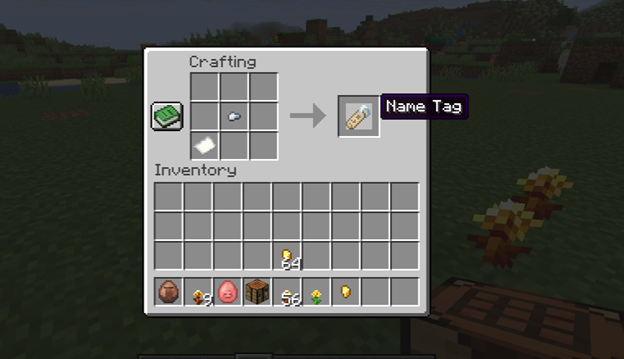
Finally, name tag crafting has been added — this requires 1 sheet of paper + 1 iron nugget.
New /swing command, which allows a creature to swing its right or left hand.
Technical improvements
New light and lighting system:
· The light rendering algorithm has been completely rewritten — this fixes many previous bugs (for example, the incorrect behavior of the Night Vision effect).
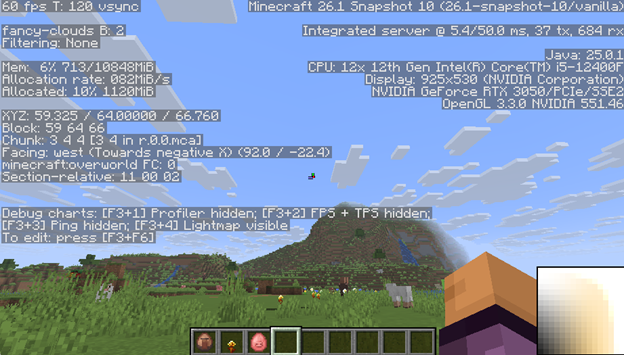
· A lightmap debug tool (F3 + 4) has appeared, which shows how light affects the world.
· A reworked villager trading system and more predictable trades for wandering traders.
Download links
Update 26.1 is now available for the game!
Past versions:
Comments (133)