



Minecraft 26.1 Snashot-11 Java Edition Download (Overview)

On March 3, 2026, the developers released a new snapshot of version 26.1 for Minecraft: Java Edition — 26.1 Snapshot-11. In this snapshot, the developers made changes to the behavior and features of goat kids, rabbits, pigs, pandas, and hoglins. In addition, as in most testing versions, work was carried out on the stability of the game — many errors and bugs were fixed.
Contents:
1 Changes
2 Bug Fixes
3 How to Install the Snapshot
4 Download Links
Changes
In this snapshot, the developers mainly focused on small improvements to mobs, textures, and some villager trade offers:
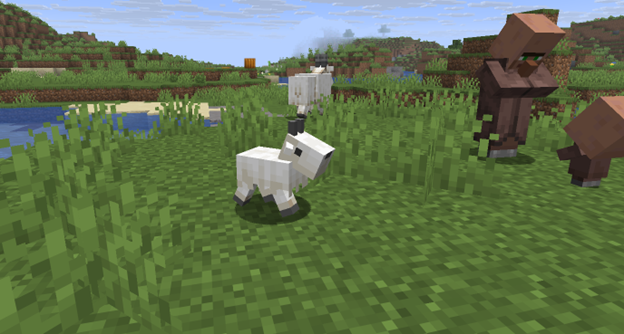
- Goat kid now rotates its head during ramming. This makes the attack animation more natural and realistic.
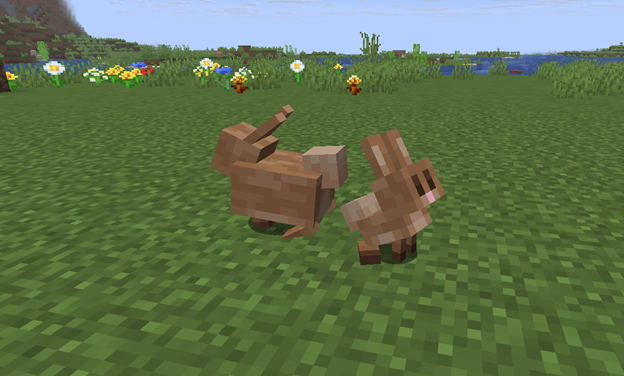
- The textures of the adult rabbit and baby rabbit have been updated so that they match other new textures added earlier.
- The texture on the back of the head of the panda cub has been fixed.
- Eating sounds have been added for the sound variations of the pig.
- The mane of the hoglin baby is now displayed on both sides of the body.
Changes were also made to the offers of villagers and the wandering trader:
- The master librarian no longer sells name tags.
- Now the master librarian sells red and yellow candles for 3 emeralds.
- The wandering trader now sells a name tag for 1 emerald.
Bug Fixes
In the snapshot, the developers fixed 25 bugs. Most of the fixes concern animal textures, models, the interface, and some game mechanics. Here are the 10 most noticeable fixes:
- The display of endermen with bells has been fixed.
- The dragon egg now correctly checks the block under the teleportation location.
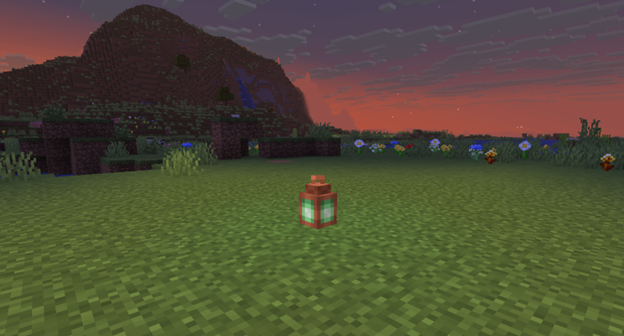
- The shadows of copper lamps with smooth lighting have been fixed.
- The display of the bell on the copper golem has been fixed.
- Item tooltips in the interface no longer appear without hovering.
- Wandering traders appear again in Snowy Plains worlds.
- The jerky movement of hitboxes when the game freezes has been fixed.
- The textures of some rabbits have been fixed.
- The game crash during a failed world update has been fixed.
- The model of the frightened panda cub during a thunderstorm has been fixed.
Various minor bugs of textures, sounds, and the interface have also been fixed.
Installation
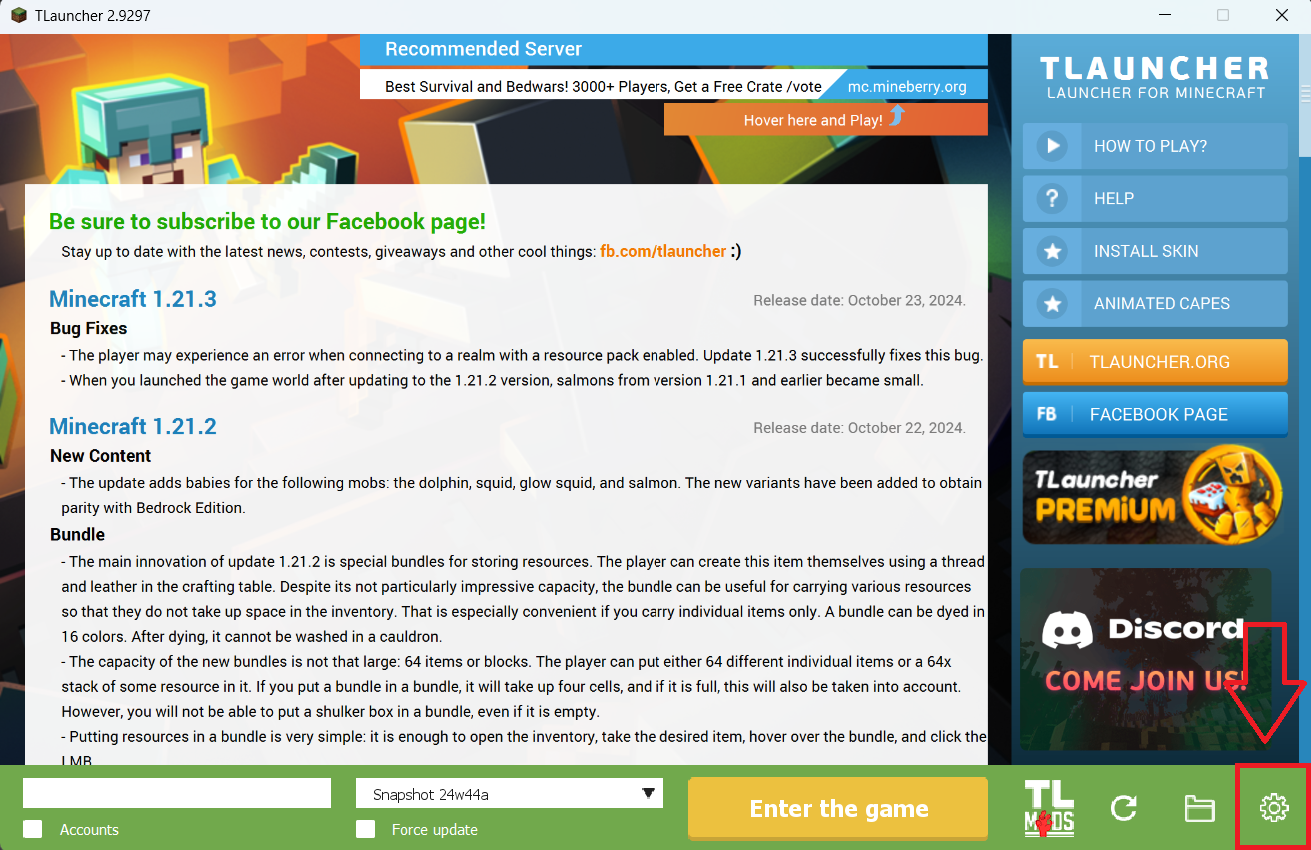
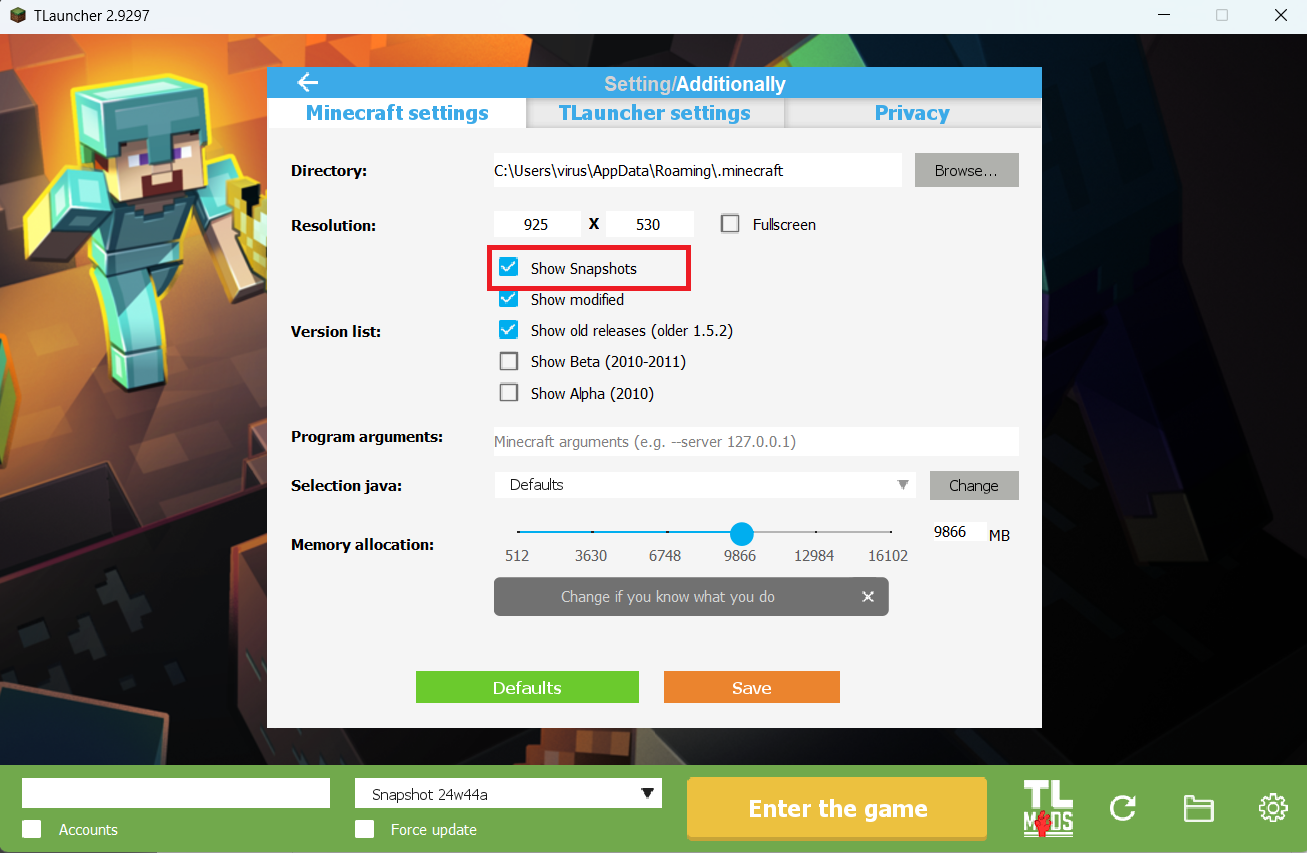
Step 1. Open TLauncher and go to the Settings tab by clicking the gear icon in the lower right corner.
Step 2. Select the Display Snapshots checkbox, and do not forget to save the changes by clicking the appropriate button at the bottom.
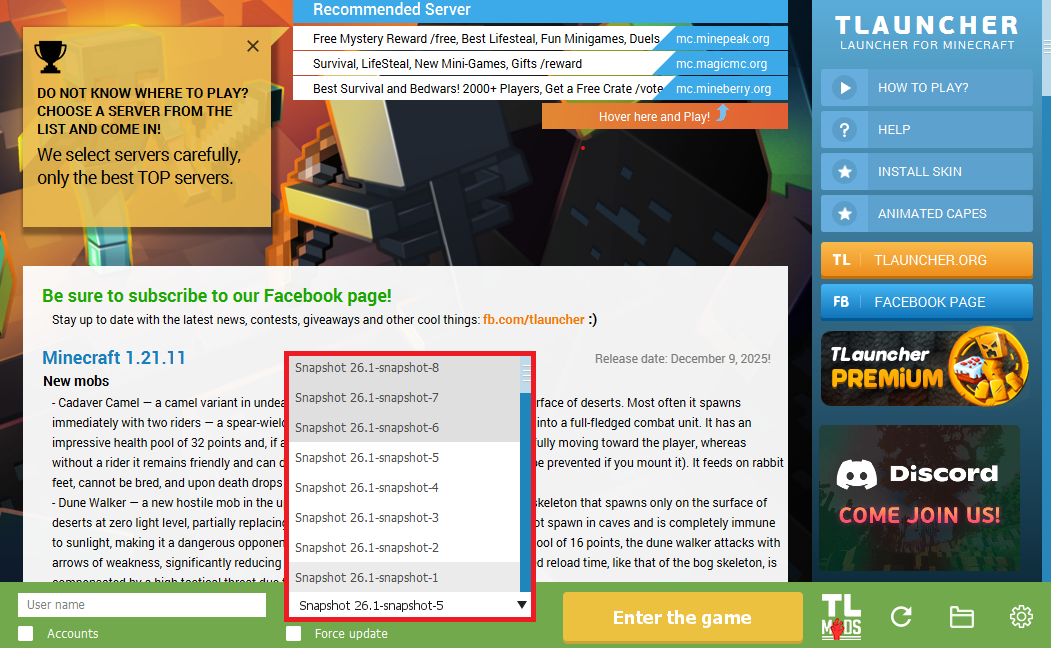
Step 3. On the main screen of TLauncher, open the version selection tab, select the desired snapshot, and click 'Install' or 'Launch the Game' if the snapshot is already installed.
Download Links
26.1 Snapshot-11 is out!
Previous snapshots:
The latest version of the game:
Comments (8)